If you’re looking for a software like Quickbooks that works for you without creating more confusion and chaos, you’re not alone.
When doing your books feel like a chore instead of a tool, that’s your first red flag.
“Switching season” is officially here.
This is your chance to simplify your system, automate the drudgery, and walk into tax time organized and confident.
Meet The Next Generation Of Intuitive Accounting Software
I’m Jamie Trull—CPA, profit strategist, and your no-jargon guide to getting informed, organized, and profitable.
In this guide, I’ll break down the three big signs it’s time to switch your bookkeeping software, the exact steps to make that switch smoothly, and how a modern platform like FreshBooks can help you reclaim your time and your profit.
A Quickbooks Alternative For Growing Businesses
👉 Try FreshBooks with my current deal + bonus resources: https://jamietrull.com/FreshBooks
👉 Still deciding? Compare my favorite bookkeeping platforms side-by-side: https://jamietrull.com/accounting
👉 Want a friendlier way to read your numbers? Grab my book, Hidden Profit (plus bonuses): https://jamietrull.com/HiddenProfit
👉 Have questions for me? Submit them to our Power in Numbers Live Show: https://www.JamieTrull.com/Youtube

Why You Shouldn’t Wait Until January to Switch
Quick myth-bust before we dive in: you do not have to wait until the new year to change bookkeeping systems. In fact, switching before year-end can make your life easier:
- You can import year-to-date activity and finish the current year in one clean system.
- You’ll be set up and confident by January 1 instead of learning a brand-new tool under deadline pressure.
- You can tidy your chart of accounts, fix categories, and get the exact reports your tax pro needs—ahead of time.
All right—let’s spot the warning signs.
Sign #1: You’re Still Doing Everything Manually
If you’re copy-pasting transactions into spreadsheets, hand-reconciling with your bank statements, or sorting receipts with a shoebox and a prayer—it’s time.
Manual bookkeeping breaks down fast once you’re handling hundreds of monthly transactions, working across multiple bank/credit card accounts, or paying contractors and employees.
What Modern Software Does For You
- Bank feeds pull transactions automatically (no more copy-paste).
- Smart categorization rules learn as you go and auto-apply the right expense category.
- Built-in reports (P&L, Balance Sheet, Cash Flow) are one click away.
- Receipt capture stores and attaches images so audit-proofing isn’t a scramble.
- Time tracking + invoicing connect directly to billing if you’re service-based.
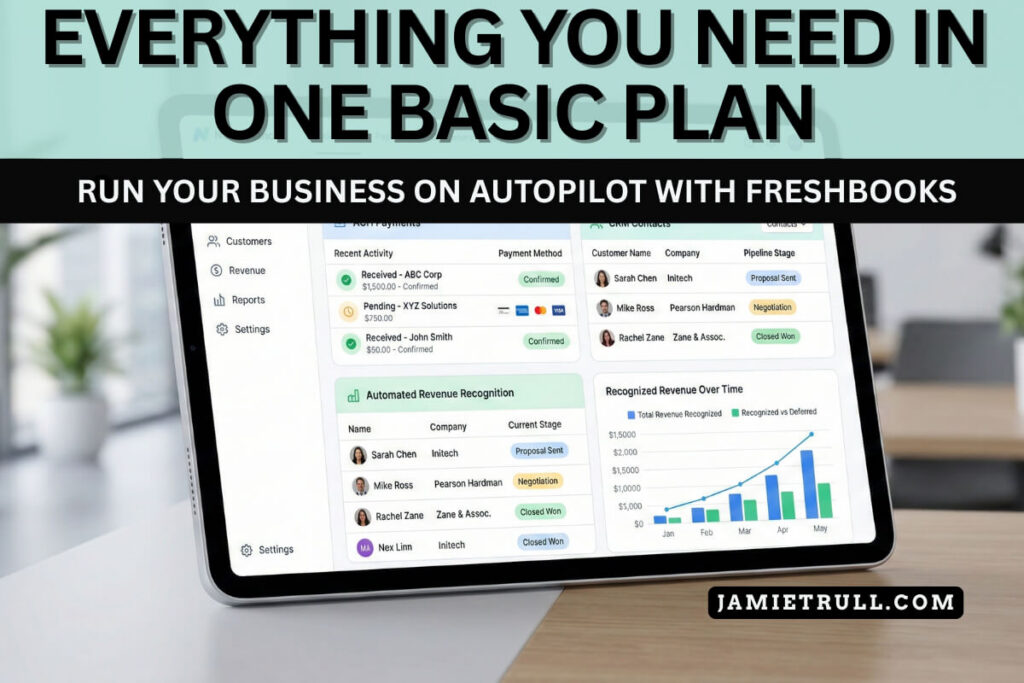
FreshBooks shines here for small business owners who want automation without needing an accounting degree.
It’s clean, visual, and built to help you do less and see more.
👉 Try FreshBooks with my current deal: https://jamietrull.com/FreshBooks
Sign #2: Your Software Was Built for Accountants… Not for You
Some platforms feel like they were designed by (and for) pro accountants—which is amazing for technical workflows, but overwhelming for owners who want clarity over complexity.
If you constantly find yourself Googling accounting terms or hunting for simple actions like “send invoice” or “log expense,” your tool is slowing you down.
What owner-friendly software should do
- Speak your language: “Invoices,” “Expenses,” “Time,” “Reports,” “Clients.”
- Make cash flow visibility obvious (what’s coming in, what’s going out, what’s overdue).
- Offer simple dashboards with “what to do next” cues. Seamless integration without the steep learning curve.
- Build in payment processing, so money actually moves (and you get paid faster).
- Scale with add-ons you actually need: time tracking, estimates, mileage, light project accounting.
FreshBooks checks those boxes with an interface that’s intuitive and pleasant to use.
If your bookkeeping tool makes your eyes glaze over, that’s a cost.
Simplicity in financial management pays for itself.
Sign #3: Your Books Aren’t Helping You Make Decisions
Bookkeeping isn’t just for taxes (though your future self will thank you in April).
It’s a decision system.
If your current setup can’t answer questions like:
- “What’s my real profit after everything?”
- “Am I priced correctly—or leaking profit?”
- “Where is my cash actually going?”
- “Which offers/clients are most profitable?”
- “Can I afford to hire—or should I raise prices first?”
…then your software is holding you back.
A tool like FreshBooks gives you real-time visibility into revenue, expenses, cash flow, and open invoices so you can adjust pricing, trim costs, and prioritize the work that actually moves the needle.
If you want the mindset and strategy piece to go with the software, my book Hidden Profit will show you how to read your numbers like a CEO and pull the right profit levers step-by-step.
📘 Get the book + bonuses: https://jamietrull.com/HiddenProfit
What FreshBooks Does Especially Well for Small Businesses
If you’re switching from spreadsheets (or from software that’s become too clunky), here’s what FreshBooks fans love:
Clean, Owner-Friendly Invoicing
Elegant estimates, click-to-pay invoices, and automatic reminders for overdue bills. You can track invoice status at a glance, accept online payments, and cut your “accounts receivable” headaches in half.
Time Tracking That Connects to Billing
Bill by the hour? The time you track can flow into your invoices automatically—no double work.
Expense Automation + Receipt Capture
Connect your bank/credit card accounts once. FreshBooks pulls transactions daily. Snap receipts with your phone and attach them to expenses.
Reports You’ll Actually Use
P&L, Balance Sheet, Cash Flow, sales by item/service, and expense summaries are laid out in plain English so you can make decisions without guesswork.
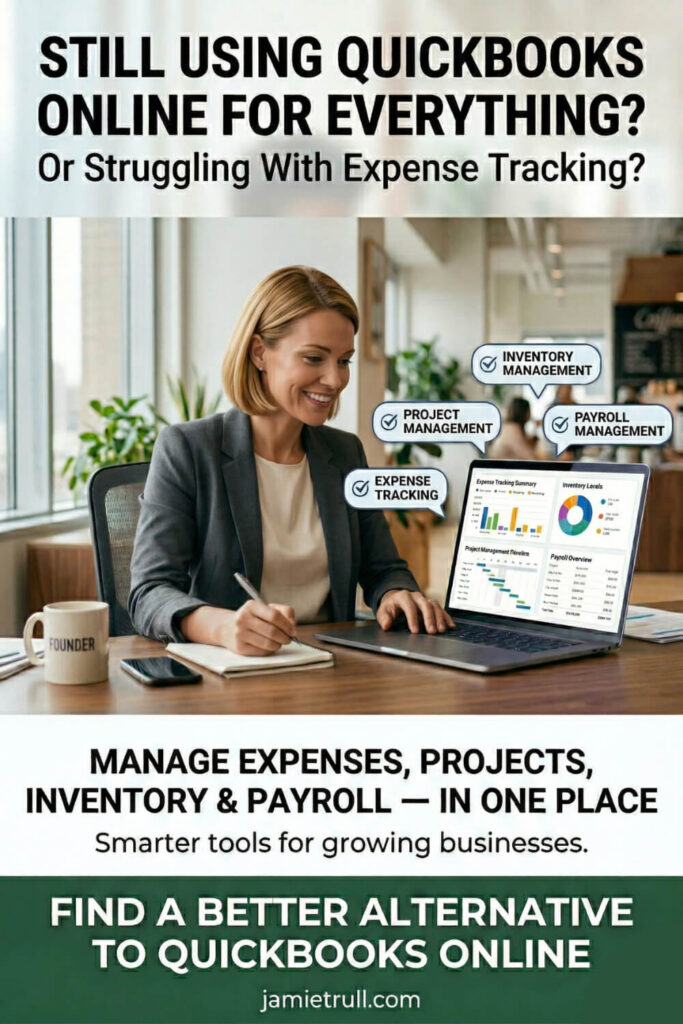
Projects + Light Job Costing
If you run client projects, FreshBooks gives you just enough structure to track progress, time, and costs without drowning in spreadsheets.
Payroll + Payments + Integrations (Advanced Features)
Pair with your payroll and payment tools so money flows in and out cleanly. If you’re also in “switching season” for payroll, see my OnPay walkthrough and first-payroll review on the blog.
👉 Grab my current FreshBooks deal here: https://jamietrull.com/FreshBooks
👉 Compare multiple bookkeeping options here: https://jamietrull.com/accounting
The Smooth-Switch Plan: How to Migrate Without the Mess
Switching doesn’t have to be painful. Follow this plan and you’ll have a clean, accurate system before 2026.
Step 1: Decide Your Start Date
You’ve got two good options:
- Mid-year migration (recommended if you’re switching now): import YTD transactions and finish the year in your new system.
- Clean January 1 start: close the current year where it lives; start fresh on 1/1.
Either way, sign up now so you can get set up before year-end chaos hits.
Step 2: Export the Essentials From Your Old Setup
From your current system (or spreadsheet), export:
- Chart of Accounts (categories)
- Customer/Client list and vendor list
- Open invoices and unpaid bills
- Bank register activity (CSV) for the months you’ll import
- Year-to-date totals (income, expenses, owner draws, sales tax if applicable)
Step 3: Connect Your Bank + Credit Card Feeds
This is the automation engine.
Once feeds are live, FreshBooks will pull transactions and start suggesting categories.
Build a few smart rules so recurring charges get auto-categorized.
Step 4: Recreate Your Categories (On Purpose)
Resist the urge to import your old, messy chart of accounts verbatim.
Use the switch to simplify your accounting system.
Keep categories that help you make decisions (not just satisfy tax buckets).
If you’re following my Hidden Profit framework, align your categories to the profit levers you plan to pull.
Step 5: Bring In Opening Balances or YTD Activity
- Starting mid-year? Import the year’s transactions and reconcile from the first month in your new system.
- Starting on Jan 1? Bring in opening balances for cash, credit cards, and equity and build from there.
Step 6: Reconcile Your Accounts
Reconcile each bank/credit card account month by month until your statements match your books.
This ensures your numbers are trustworthy.
Step 7: Run Your First Reports + Sanity Check
- Profit & Loss (YTD and by month)
- Balance Sheet
- Cash Flow (weekly or monthly)
- AR Aging (who owes you) and AP (what you owe)
Compare the P&L to your old system for the same period. If totals look wildly different, it’s an import or categorization hiccup—not a catastrophe. Tweak and move on.
Migration FAQs (You Got This)
Can I switch from spreadsheets?
Yes—FreshBooks is a perfect step up. Export your CSVs, import transactions, and start reconciling. You’ll wonder why you waited.
What if my accountant uses another system?
Most accountants care about clean data, not which logo is on your login screen. FreshBooks exports standard reports and CSVs your pro can use.
How long does this take?
A simple setup can be done in a few focused hours. Allow a weekend to import and reconcile the year to date. That trade is worth the sanity you’ll gain every month.
What about sales tax?
Turn it on early and set the rates correctly. FreshBooks will track and report what you’ve collected so filing isn’t a scramble.
Will switching mess up my 1099s?
No—if you’re paying contractors, keep paying them through one system for the remainder of the year or make sure your YTD amounts are captured accurately in the new system so your 1099-NECs are complete.
How to Know You Chose the Right Software (A 10-Minute Test)
Open the tool and try to:
- Create an invoice and accept a payment.
- Connect one bank account and categorize five expenses.
- Snap a receipt and attach it.
- Run a P&L and Cash Flow report.
- Find one insight that changes a decision you’re about to make (pricing, spending, timing).
If you can do all five in 10–15 minutes without wanting to throw your laptop, that’s your software.
What to Do This Week (A Mini Action Plan)
- Pick your switch date. Don’t overthink it.
- Grab the FreshBooks trial and current discount: https://jamietrull.com/FreshBooks
- Connect one bank and import this month’s activity.
- Set three rules for recurring expenses (software, phone, internet).
- Send one invoice through the new system (even to yourself as a test).
- Book a 30-minute block on your calendar to reconcile.
- Bookmark my accounting comparison to sanity-check your choice: https://jamietrull.com/accounting
- Submit questions for our Live Show: https://www.JamieTrull.com/Youtube
Small, consistent steps now = a calm, confident year-end later.
Why FreshBooks + Hidden Profit Is a Powerful Combo
- FreshBooks gets you out of the weeds: automated bank feeds, clean invoicing, and owner-friendly dashboards.
- Hidden Profit helps you read those numbers and act on them—so you price right, trim the right costs, and keep more of what you make.
When your system and your strategy work together, profit stops “hiding” in your business. It becomes visible, measurable, and repeatable.
📘 Grab the book + bonuses: https://jamietrull.com/HiddenProfit
💻 Start FreshBooks here: https://jamietrull.com/FreshBooks
Final Word: Don’t Let Another Year Slip By
If your bookkeeping feels clunky, manual, or confusing, that’s not a you problem—it’s a systems problem. The cost isn’t just time; it’s the missed decisions that would have made you more money. Switching before 2026 gives you a clean slate, a smoother tax season, and the visibility to run your business like a pro.
You’re not behind. You’re right on time.
Start your switch: https://jamietrull.com/FreshBooks
Compare top options: https://jamietrull.com/accounting
Ask me anything (and get featured): https://www.JamieTrull.com/Youtube
Disclaimer & Sponsorship Disclosure
This article is for educational purposes only and is not tax, legal, or financial advice for your specific situation. Please consult your own tax advisor for personalized guidance.
Some links above are affiliate/partner links. If you use them, I may earn a commission at no additional cost to you. I only recommend tools I genuinely use or believe in.
This post includes sponsored promotion of FreshBooks.
Video Transcript: This transcript was generated from the video for your convenience, but it may contain typos or slight errors due to the transcription process. For the most accurate and complete information, we recommend watching the full YouTube video.
3 Signs It’s Time to Switch Your Bookkeeping Software
If your bookkeeping feels more like a chore than a tool that actually helps you, that’s your first red flag.
Today I’m breaking down the three signs.
It’s officially time to switch your bookkeeping software before 2026 rolls in. If you’ve been wrestling with spreadsheets, or maybe your current system is leaving you more confused than confident, this is your wake up call.
Switching season is officially here, and now is the perfect.
Time to clean house and get yourself set up for a much easier tax time. Come next year and at the end of this video, I’ll tell you why you should not wait till the beginning of next year to switch a system that just is not working for you.
Real Accounting Talk For Small Business Owners
For those that don’t know me, hi, I’m Jamie Troll, CPA, and Financial Educator, and here on this channel I love to bring small business owners the tools to keep them informed, organized and profitable in their business finances.
So as always, please make sure to like and subscribe.
So let’s go over those three signs that it is time to switch your bookkeeping software. First and foremost, sign number one. You’re still doing everything manually if you’re still entering transactions by hand or reconciling your bank accounts with a sticky note or a spreadsheet.
It’s probably time to switch.
Now, while I do offer a spreadsheet that helps people track their finances and create a profit and loss statement.
[However] that isn’t a sustainable methodology, as your business continues to grow.
So if you’ve got hundreds of transactions and you’re still copy pasting into a spreadsheet, then it’s probably time to do something that’s a little bit more sophisticated.
Sign #1: You’re Still Doing Manual Bookkeeping Instead of Using Automation
There are tools that exist out there like FreshBooks, that have lots of automation built into the system. They can link your bank account. Automatically categorize expenses and create ready to go reports that you can use both for tax time, but also to help you make important decisions in your business all year long. And this automation saves so much time and energy in the long run.
The Best QuickBooks Alternative?
Plus, as you can see here, FreshBooks is really clean and actually kind of pretty and can help you make the decisions that you need to make in your business. A system like FreshBooks absolutely can do so much of the heavy lifting that can have you focusing on the more important things in your business.
All right, sign number two, that it might be time to switch your bookkeeping software, and that is that you don’t feel like your software was built for you.
I’m gonna be honest, some bookkeeping softwares feel like they were built for accountants, and that’s because they really kind of were.
If your current software is clunky or confusing or constantly making you Google accounting terms to figure out what it’s trying to tell you, that’s a problem.
Sign #2: Your Accounting Software Feels Confusing or Wasn’t Built for You
You deserve a tool that’s simple, intuitive, and built for the way that your mind works.
And not only that, your bookkeeping software should do more. Then just bookkeeping. A good bookkeeping software.
Something like FreshBooks is also gonna have lots of additional features that help you run your business more effectively and efficiently.
That includes features like invoicing, time tracking payments, and a lot more.
Speaking of FreshBooks, I did a full video on just their invoicing functionality and how great I think it is right here.
Sign #3: Your Financial Data Isn’t Helping You Make Better Business Decisions
And sign number three, that it’s time to switch to a new bookkeeping software if your books are not helping you make decisions.
This is a really big one, and if you watch this channel at all, you know, it’s something that I’m super passionate about. Bookkeeping is not just something to do for tax season.
Yes, it’s very important for taxes, but that is not the only, or even the primary purpose of keeping your books up to date.
The Best Accounting Software For Automatic Accounting – Not Just Tax Season!
The real purpose is to have the numbers and the data in front of you to make better decisions in your business all year long.
If you’re not sure how much profit you’re actually making, where your cash is going, or what’s actually driving your growth or lack thereof, your current system is holding you. Back when you don’t have a software that’s giving you real time financial updates, you can overspend under price and miss opportunities.
Alternatives to Quickbooks and Finding YOUR Hidden Profit
Now, if you’re watching this and you’re saying to yourself, I don’t even know what to do with all of that information, all of those numbers, I don’t know how to read my financials in a way that it actually makes sense.
Well, that’s a good time to plug my brand new book Hidden Profit which helps you through all of that.
It can help you understand your financial statements and use that information to be able to find hidden profit in your business. So definitely check that out if you haven’t yet. And we have bonuses available at jamietrull.com slash hidden profit.
And one of the things I actually mention in this book is the importance of using some type of system in order to make sure that your books stay accurate.
And well organized. And that’s something that FreshBooks can absolutely do.
Why You Should Switch Accounting Software Before the New Year
Now, if you’re thinking doesn’t make sense to wait until the beginning of a new year to institute a new accounting software, it can.
But I actually think that for a lot of people, especially if you haven’t kept up with your books all year in your current system, it might make sense that before the end of the year you go ahead and switch to a new system and do your bookkeeping for the year.
Get Competitive Pricing In Time For Tax Season
In that system in FreshBooks, you can go back and bring in those transactions back to even the beginning of this year if you want to, and use that for 2025.
And if you do that, you’ll get a head start on 2026. And even if you decide, you know what, I’m gonna close out.
In my old software for this year, I’m gonna start new in the new software.
It still could make sense to go ahead and sign up before the end of the year to give you some time to really get to know the software and get things started, and that way you can be off and running on January 1st.
You May Be Surprised At The Ease Of Switching To Freshbooks
Now, the thing that might keep people back from switching is feeling like it’s gonna be too difficult or take too much time.
But I’m here to tell you that switching absolutely does not have to be hard. FreshBooks actually makes the transition super easy.
They’ve got migration support and honestly, a pretty easy learning curve.
And that’s true even if you’re not a numbers person or an accountant. If you wanna learn how to switch systems, you can check out this video. I do talk specifically about switching from QuickBooks, but this video is really gonna be relevant no matter which other bookkeeping software you’re switching from.
And if you’re thinking, okay, Jamie, fine, I’ll go ahead and make the switch. It’s time.
A Special Discount To Switch To Freshbooks
Well, thankfully I have something just for you. I’ve negotiated a special discount right now, it’s 90% off for four months.
But go check out the actual link to see what the current discount is. Depending on when you’re watching this.
But you can check that out at jamietrull.com/freshbooks.
And my deal generally is going to save you pretty big from whatever the regular FreshBooks deal is directly on their website.
So you definitely want to use my link if you’re gonna sign up and if you’re still in the evaluation phase, trying to decide what makes sense for you.
I’ve got you. I did an entire comparison of various different bookkeeping softwares that you can find over at jamietrull.com/accounting.
Switching season is the perfect time to upgrade and start the brand new year fresh. Literally.
If you found this video helpful, please like and subscribe, and also tell me in the comments below what’s one thing you wish bookkeeping software could do better.
Thanks for joining me and I’ll see you next time.