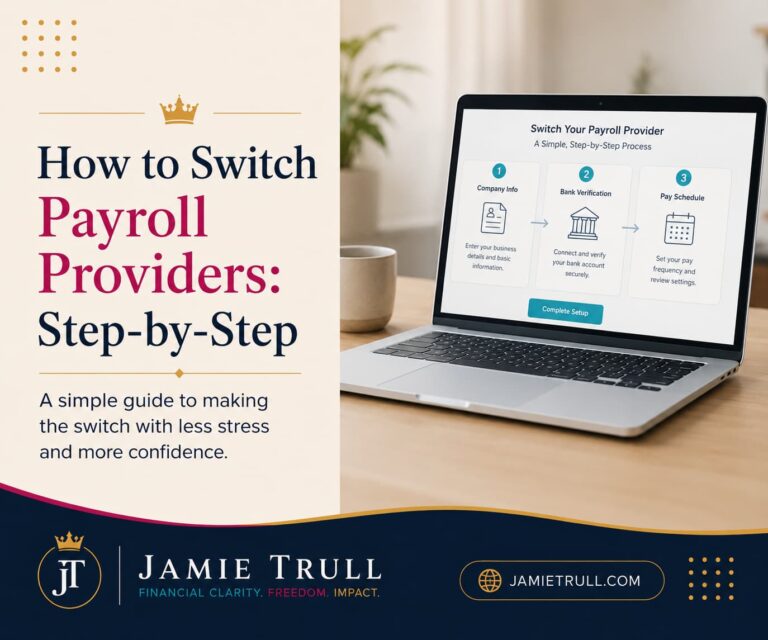
Switching Payroll Providers: A CPA’s No-Drama Playbook
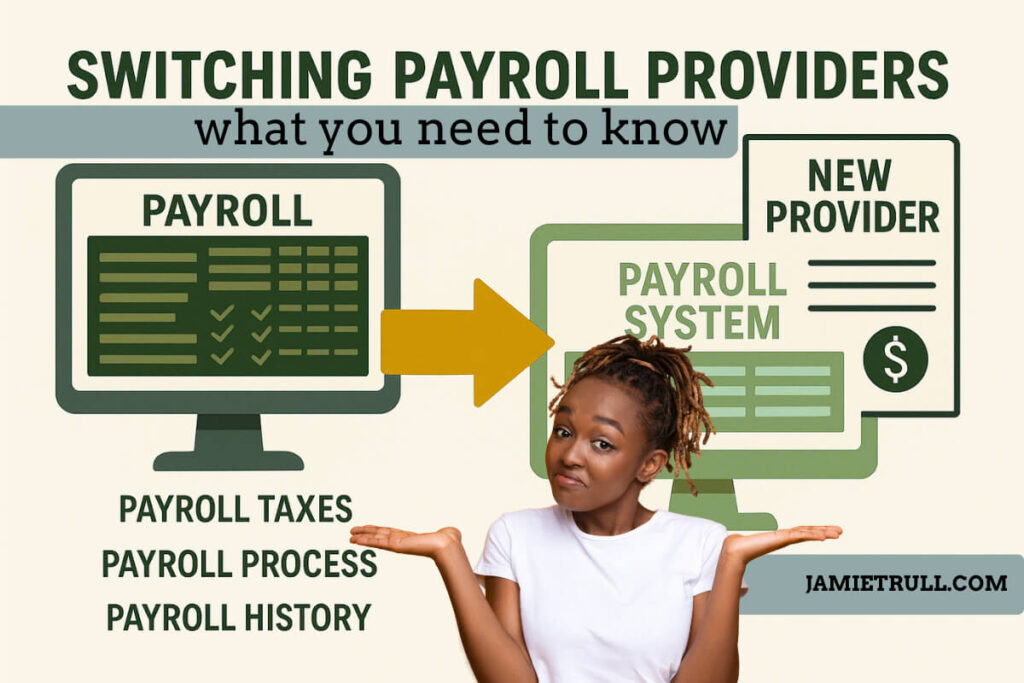
Thinking about switching payroll providers, but worried it’ll be a total nightmare?
Same.
I’ve advised countless clients on payroll, yet I still dragged my feet when it came to switching my own system.
I finally decided to do it.
And what I discovered surprised even me: when you choose the right partner, switching is far less scary (and far more valuable) than most people think.
Below, I’m breaking down the biggest myths about switching payroll, what actually happens behind the scenes, and the strategy I’m using to make a clean transition.
I’m also sharing why I chose OnPay for my business, and the specific features that pushed me over the edge.
Get the details (and an extra $100 for signing up with my partner link.
(Offer details can change—see the landing page for the latest.)
Disclaimer: this post is sponsored, but as always—we’re only sharing tools and resources we personally use and love. Your support helps us keep showing up and supporting our small (but mighty!) team
Myth #1: “You have to wait until January (or a new quarter) to switch.”
Old thinking:
The fear here is forms: missing a filing, or worse—double filing (your old provider and your new one both submitting 941s). That used to be a real risk when everything was manual.
Reality today:
With the right provider, you can switch mid-quarter or even in Q4. I’m switching in October. OnPay is taking over the filings cleanly as of my chosen first pay date. No drama, no overlap, no “we’ll fix it later” chaos.
What makes this payroll transition process possible:
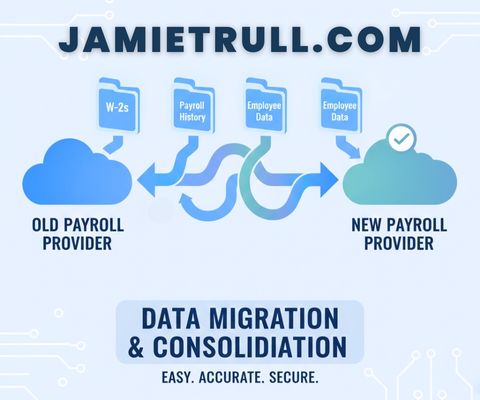
- Your new provider imports year-to-date payroll data, so they have the full picture.
- They assume responsibility for all filings from your first payroll with them forward.
- Your old provider stops filing as of the cutoff.
- You end the year with one consolidated W-2 per employee (more on that below).
Bottom line about switching to a new payroll system:
If January is your busiest season (it is for me), you don’t need to wait. A well-run switch can happen as soon as your new provider is ready to go live.
Myth #2: “Switching payroll companies will be a massive time suck.”
Partial truth about changing your payroll solution:
There are decisions to make—this is your chance to tighten processes and clean up lingering messes. But the admin work of moving data? With the right provider, most of it is done for you.
What it looks like with OnPay (my experience):
- I was assigned an onboarding specialist who can pull my data directly from my previous payroll company.
- No scavenger hunt for obscure reports. No one-off import fees.
- They’re guiding the timeline and sanity-checking the setup.
- It’s included—no extra “migration package” pricing.
Where your time is best spent when it's time to switch payroll software:
- Re-thinking benefits, pay types, and approval flows
- Deciding which contractors should move onto payroll’s contractor pay (for consistency and automation)
- Establishing a standard cadence (pay dates, run deadlines, review checkpoints)
Pro tip: Use the switch as an excuse to upgrade how you work. A clean slate is a gift.
Myth #3: “Year-end will be a disaster if I switch mid-year.”
This is the big fear about changing your payroll service provider.
Will employees get two W-2s? Do I have to manually reconcile year-to-date totals? Are 1099s going to be wrong?
The truth about switching payroll companies:
A strong payroll provider will consolidate year-to-date data so that they can prepare and file everything at year-end—including wages you ran in your old system.
What your new company should handle at year-end:
- Generate and file W-2s (employees) and 1099s (contractors)
- Distribute recipient copies (employee and contractor access)
- File Form 940 (annual FUTA) and any annual state/local returns
- Ensure quarter-to-date and year-to-date figures align with what was imported
Why this payroll process matters:
Your team gets one W-2 per person. Your contractors get one 1099-NEC. You don’t become the go-between for mismatched numbers.
Myth #4: “All payroll platforms are basically the same.”
Nope. Changing payroll companies can make a big difference.
On the surface, the core checklist looks similar—direct deposit, tax filings, W-2s. But once you’ve grown past the basics, the differences are huge.
Payroll features that mattered to me (and why I’m moving to OnPay)
- Data migration with a specialist (included).
No juggling exports and imports or digging for year-to-date payroll summaries. - Unlimited payroll runs.
No penalties for off-cycle adjustments, bonuses, or corrections. - Automatic tax payments and quarterly filings.
No “file it yourself” surprises. - Multi-state included (no extra tier required).
If you have team members in more than one state, this is a big deal. - Employee tools that save time.
Self-onboarding, e-sign, lifetime access to documents—so HR questions don’t all route through you. - Pay-per-employee only when they’re paid.
Seasonal team? You don’t pay per-employee fees in months you don’t run payroll for them. - No extra fees for year-end filings, W-2s, or 1099s.
Transparent pricing. No “surprise” add-ons in December. - Responsive support (phone, email, chat).
I want actual humans available when I need them.
If you’ve ever felt nickeled-and-dimed—or if your current provider doesn’t evolve as your business changes—those nuances matter.
? Explore OnPay + get $100 with my link.
The Strategic Upside of Switching (Beyond “It Works”)
A new platform is a rare chance to re-design your payroll operations to match where your business is headed—not where it started.
Here’s what I re-worked during my switch from my previous provider:
- Pay types & classifications: Clean, consistent mapping (regular, bonus, overtime, stipends).
- Approvals: Clear deadlines and a single owner for “green-lighting” each run.
- Contractor process: Routine contractors now get paid through payroll, on schedule.
- Document collection: E-signed I-9s/W-4s, banking info, state forms—stored in one place.
- Multi-state settings: With OnPay, no special plan or hidden fees required.
Result of my payroll migration:
- less chasing,
- fewer one-offs,
- fewer “oops” moments … and
- more time to actually run the business.
Your Mid-Year/Mid-Quarter Switching Blueprint
Timeline: You can compress this into 2–3 weeks, but a 30-day runway is comfortable.
Phase 1 of the payroll conversion process — Decide & Prepare (Days 1–7)
- List priorities:
- Do you have multi-state employees?
- Need contractor payout automation?
- Want employee self-onboarding and e-signatures?
- What about job costing, GL sync, or PTO policies?
- Do you have multi-state employees?
- Pick your payroll processing provider (I chose OnPay):
- Ask about data migration, year-end, multi-state, and support.
- Confirm pricing transparency and what’s included.
- Ask about data migration, year-end, multi-state, and support.
- Set your go-live pay date to begin processing payroll with new provider (yes, mid-quarter is OK):
- Tell your old provider the final run they’ll handle.
- Tell your new provider the first run you want them to handle.
- Tell your old provider the final run they’ll handle.
- Collect the essentials ro run payroll:
- Company legal info, EIN, state account IDs
- Employee roster + compensation + YTD totals (if your new provider doesn’t pull it)
- Contractor roster + YTD totals
- Benefit/deduction settings (HSA, retirement, garnishments, etc.)
- Company legal info, EIN, state account IDs
With OnPay, my onboarding specialist pulls what’s needed directly from the old system—huge time saver.
Phase 2 — Configure & Sanity-Check (Days 8–20)
5. Map pay items and benefits.
Make sure every pay type/deduction translates one-to-one in the new system.
6. Verify year-to-date data.
Check totals for wages, taxes, benefits, employer matches, and garnishments.
7. Set up state/local accounts.
Confirm SUI/SIT IDs, deposit schedules, and localities are linked.
8. Enable employee self-service.
Invite employees to confirm direct deposit info and personal details.
9. Test-run payroll (optional but recommended).
Dry run a payroll to confirm net pay and taxes match expectations.
Phase 3 — Go Live (Days 21–30)
10. Run your first payroll with the new provider.
Double-check your preview. Approve. Smile.
11. Shut down payroll at the old provider as planned.
They’re done. The new provider takes it from here.
12. Communicate year-end expectations.
Let your team know they’ll receive one W-2 from the new provider—even if you switched mid-year.
Questions to Ask Any Payroll Provider (Before You Sign)
- Can you pull data directly from my existing provider? Is there a fee?
- Will you consolidate YTD wages so employees receive one W-2/1099?
- Do you support multi-state payroll without a special plan?
- Do you charge for off-cycle runs, year-end W-2/1099 processing, or amendments?
- What support options are included (phone, email, chat)?
- How do you handle contractor payments (1099-NEC) and vendor W-9s?
- Do you offer employee onboarding, e-sign, and lifetime document access?
- How do you manage tax payments and quarterly filings (automation vs. reminders)?
- Can you integrate or export cleanly for my accounting system?
If a provider can’t answer these clearly—or they hide pricing behind “custom quotes”—keep looking.
FAQ: Your Top Switching Concerns, Answered
Q: Can I really switch in October (or any time mid-year)?
A: Yes. Pick a first pay date with your new provider. They’ll ingest your YTD data and take over filings from that point forward.
Q: Will my employees receive two W-2s?
A: With the right provider (like OnPay), no. They consolidate YTD wages and issue one W-2 per person.
Q: What about contractors?
A: Move recurring contractors into payroll’s contractor pay so they’re paid on schedule and included in 1099-NEC at year-end. OnPay handles this.
Q: We have team members in multiple states—will that cost more?
A: With OnPay, multi-state is included without a higher tier. Verify this with any provider you’re evaluating.
Q: Will I be charged extra for year-end (W-2s/1099s)?
A: OnPay doesn’t charge extra for W-2s/1099s or year-end filings. Many providers do—read the fine print.
Q: What takes the most time during a switch?
A: Strategy—not data entry. Use this moment to standardize pay types, approvals, and contractor processes so payroll runs itself.
When You Should Not Switch (Yet)
- You’re in the middle of a major restructure (merger, acquisition) and don’t have bandwidth.
- Your state tax accounts aren’t set up (get those IDs first).
- You can’t commit to reviewing the first two runs carefully. (You should!)
If none of those apply, waiting for January “because we always do” isn’t a great reason.
A Simple Cost/Benefit Reality Check
Costs of staying with your current payroll company:
- Hidden or rising fees (especially for multi-state, off-cycle runs, or year-end)
- Admin time spent chasing data, updating tax tables, or re-keying contractor pay
- A support queue that makes you dread payroll day
Benefits of switching to a new payroll company (what I’m seeing)::
- Cleaner workflows and fewer touchpoints
- Transparent pricing I can budget around
- Year-end handled without panic
- A partner that scales with the way we work now
My Take: Is It Worth the Hassle?
If your current provider is costing you time, headspace, or money … or simply hasn’t evolved with your business; it’s worth exploring a switch.
The key is choosing a partner that does the heavy lifting on migration, consolidates year-to-date data for year-end, and doesn’t surprise you with add-on fees.
That’s why I’m moving to OnPay.
I’ll be sharing the good, the bad, and the ugly as I go—so if you’re payroll-curious, follow along and you’ll see exactly how it plays out.
? Explore OnPay and get $100 for signing up with my link.
The 10-Minute Starter Plan (Do This Today)
- Write your must-haves (multi-state, contractor pay, unlimited runs, year-end included, employee self-service).
- Book a quick OnPay walkthrough and ask the questions above.
- Pick a go-live pay date (yes, mid-quarter is fine).
- Assign one person to approve runs and one to own onboarding—even if both are you.
- Plan to review the first two payrolls with a fine-tooth comb.
You’ll be shocked how quickly the “scary” part disappears when you have a clear plan and the right partner.
This article is for educational purposes and general guidance. It’s not tax, legal, or accounting advice for your specific situation. Always consult your own advisor.
This transcript was generated from the video for your convenience, but it may contain typos or slight errors due to the transcription process. For the most accurate and complete information, we recommend watching the full YouTube video.
Switching Payroll Providers: Myths & Mindset
As a CPA, I have definitely seen my fair share of payroll problems, and if I'm being completely honest, the idea of switching payroll providers was something I believed was a hassle that was best avoided. At least until now I've decided to make the switch myself, and in that process I've realized that it is not.
As big and scary as I made it out to be in my head now, despite the fact that I know all the technical stuff related to payroll, the actual act of switching was something that made me nervous, and there are definitely going to still be surprises along the way. In this video, I am gonna be breaking down the real truths about switching payroll providers.
And we're not just talking about the basics. I'm gonna talk about the things that even experienced business owners maybe don't see coming. Now, whether you're considering a switch or just wanna understand what the process looks like on the inside, make sure to subscribe to this channel because I'm gonna be updating you with my journey for switching payroll, and that means I'm gonna be documenting the good, the bad, and the ugly about the process.
Now on this video, we're gonna talk about some of the myth. Some of which I actually subscribed to before I started the process to switch my payroll provider. Now, the first myth is that you have to wait until the beginning of a new year, or at least the beginning of a new quarter to make the switch. And if I'm being completely honest, I've said for a long time that it makes the most sense to switch when you're starting a.
Quarter or year or where you have a line of demarcation. However, what I've realized in this process is that that's not necessarily true. And this is a myth I've heard all the time, even from other CPAs, and I think it stems from the concern around the filing of the forms, right? We don't wanna forget to file a form because we switched payroll providers and something fell through the cracks.
And we also don't wanna accidentally double any filings because we switched payroll providers. We don't want our old one and our new one to be filing those nine 40 ones, but it turns out. That's outdated thinking. Depending on the payroll provider you use, you may very well be able to switch in the middle of a quarter.
Mid-Year Payroll Switching & New Systems
I'm switching in the fourth quarter, and regardless of my actual first pay date, it sounds like there's not gonna be any drama. Now, if you're curious about where I'm switching to, I'm actually gonna switch over to On Pay.
I have been partnering with them for quite some time, demoing their payroll platform.
And really like what I see and as a person who really wants to get my hands dirty and actually use the tools that I'm recommending, I decided it was time to go ahead and try out on pay officially.
And when I talked with on pay about switching, they said basically I could pick any pay date that I wanted to to make the switch.
So my intent is to switch either during the first pay date or the second pay date. In the month of October. And what it means in this case is that on pay is gonna be able to cleanly take over managing all of those form filings and my old payroll provider won't have to do it.
So that may be great news for you as well, especially if January gets a little busy like it does in my business.
That's just not something I'm gonna have time for then. So being able to do it a little bit before the end of the year is a really big thing for my company.
So myth number two is that switching is a big time suck.
Now of course there are gonna be things for you to do.
However, if you're partnering with the right provider, there's probably a lot they will be able to do as well to support you in the process.
And when I talked to on pay about their onboarding process, it was really so much simpler than I had made it out in my own head. So if you're looking and evaluating different providers, make sure to ask what kind of support they give. In that transition and clarify if there is an additional cost for that.
And the great thing is that with switching to on pay, I don't have to worry about pulling a whole bunch of reports. In fact, all of that is being handled by my onboarding specialist at On Pay, and they're gonna be able to seamlessly pull all of that data over from my previous payroll provider directly with.
Out a bunch of back and forth with me and at no additional cost, and that got me a lot more comfortable knowing that I'm gonna have my own onboarding specialist that can walk me through this process and handle it for me, because, let's be honest, we got other things to do.
Improving Processes & Avoiding Payroll Errors
Now what's actually taking the time for me in this process is not so much the actual switching, but it's really more the decision making process. But I honestly think that it is time well spent.
The great thing about switching payroll providers is that it gave me kind of a clean start. It allowed me to think more about the benefits that I offer, how I structure, pay types approval processes.
Contractor pay, and even more so I found that time actually very well spent to make my processes better.
Now, you don't have to change anything, but I always love a clean new system that you can set things up the way you see fit now, not just the way you've been doing them forever.
So one example of this is I'd always been paying my contractors through various different means based on how they build me.
But for my more routine contractors, I decided to go ahead and get them set up on on pay, and it made my life so much easier.
I was no longer trying to remember to pay invoices from my contractors and I could handle it all in the same system where I pay my employees.
So again, sometimes the admin side is actually easier than we make it out to be. It's really just the time we need to spend on the strategy side.
That takes a little bit more thought. Now, myth number three, and I already kind of touched on this, but I think it's important. Switching will complicate my year end filings. You might fear that if you switch mid-year.
Your W twos 10 90 nines and annual filings will be a disaster, but the truth is that a good payroll provider takes ownership of your year end.
Now, the right payroll provider is actually gonna consolidate everything that you have paid across systems from January 1st through December 31st, including wages that you ran in your old system.
Year-End Payroll Taxes & Payroll History Migration
And then they'll prepare and file everything you need at year end.
Now that means that the provider should do all of the following things. That means that they'll generate and file your W twos and your 10 90 nines and distribute those recipient copies. And they should also be filing your federal year end reports like Form nine 40 plus any annual state and local filings.
With my switch to on pay, my onboarding specialist pulled in all of my data from my old system so that they could consolidate everything and handle everything for me in one place.
So thankfully, I didn't have to worry about my fear of telling my employees they were gonna get multiple W twos from multiple different systems.
And now myth number four. The myth that all payroll platforms are basically the same. Now, I'll tell you, I have used many payroll platforms in my business.
I actually make it a bit of a habit to switch around sometimes and get to understand features from other payroll providers. And let me tell you, they are not all the same.
On the surface, it may look like they do the same things like direct deposit, tax filings, w twos, but when you're growing. Nuances matter Now for me in deciding to try out on pay, the difference was what?
On pay included. They have things like data migration with no additional fees, like I already talked about.
Unlimited payroll runs, automatic tax filings and quarterly payments, automatic tax payments, and quarterly filings. Multi-state employees, which was important for me without an extra charge.
Some other companies, you have to be on a higher tier or there's an extra charge if you have employees in multiple states.
Comparing Payroll Providers & Choosing a New Provider
But that's not true with On pay. They also include great employee tools like onboarding, document signing, and employee lifetime access.
And the other great thing about on Pay is that you're only going to pay those employee payroll fees if you ran payroll that month for that employee.
So that means you're not paying for people that aren't even being paid that period.
And so if you have a seasonal workforce and there are. Periods of time where you're not paying all of your employees. You don't have to pay the per employee fee if you didn't pay 'em that period.
So that's actually a savings that can really add up. Also, there are no fees for year end filings, W twos and 10 90 nines.
Plus the support is amazing with access to phone, email. And chat, depending on how you like to communicate.
So again, I'm really looking forward to using on pay because I'm actually currently using a few systems for some of these things, and I'm looking forward to being able to put it all together in one place.
And I'll tell you the last thing that I love about On Pay, but this is so incredibly critical for me, and that is transparency in pricing.
You don't have to worry about getting a custom quote or random hidden fees popping up because honestly, who's got time for that?
Now you might be thinking, should I make the switch?
Is now the right time?
And let's be honest, we can always come up with a reason to delay.
I did it for a long time, but here is my take. If your current provider is costing you time, giving you headaches, nickel, and diming you.
Or even just not evolving with your business, it's probably time to switch. Now start by making a list of what you would like to see in a new provider.
Final Thoughts on Switching Payroll Companies
Then compare a few different providers to see how they differ, whether you end up choosing on pay or another provider. The key is to find something that feels like a right fit for you and what you need.
If you've been thinking about switching and you're watching this, so I bet you have, this is your nudge to start looking.
Like I said, I'll be sharing updates over the next few months to tell you the good, the bad, and the ugly.
As I make the full switch, so make sure you subscribe to follow along, and if you do decide that you want to switch to on pay right alongside me, then definitely make sure to use my partner link so that you get an extra $100 just for signing up.
To snag this deal and check out more details about On Pay, definitely go to jamietrull.com/onpay and make sure to drop any questions that you have about switching payroll providers in the comments below so that I can make sure to answer them in my future videos.
I'll see you next time.