
I Switched All My Financial Tools in 2025 … Here’s What I’m Using Now (and Why)
If you’ve ever stayed with a clunky system way past its expiration date because switching sounded exhausting…hi, friend, you’re in good company.
That was me. Until 2025.
That's when I finally ripped off the Band-Aid and swapped everything: business banking, bookkeeping software, payroll, and the workflows that connect them.
Real talk for small business owners:
Some changes were bliss, a few were bumpy, but all were worth it.
And now I can show you what I chose, how I migrated, where the landmines were, and how to build a future-proof finance tech stack for 2026.
Small business insights you'll find below:
- The exact tools I’m using now (and the parts I love vs. where I hit friction)
- A migration playbook you can copy, including a timeline and sanity-saving checkpoints
- Real-world cost/control tradeoffs (so you don’t “save” money only to spend time)
- Practical call-to-actions with the best deals I’ve negotiated for this community
Quick links to the financial tools covered:
- Relay (business banking built for cash-flow control + envelopes): https://jamietrull.com/relay
- OnPay (intuitive, affordable payroll—even with employees in multiple states): https://jamietrull.com/onpay
- Xero (streamlined bookkeeping with smart rules and insights): https://jamietrull.com/xero
Why I Switched (All at Once!): The Case for a Clean Slate
I’d been gradually outgrowing the systems I started with six-plus years ago. What worked for a lean solopreneur felt cramped for a multi-person, remote team. My “why” came down to three things:
- Clarity: I needed a banking setup that mirrors how I actually manage money. This meant dedicated buckets (aka “envelopes expense tracking”) for Taxes, Profit, Owner Pay, Opex, and Projects.
- Control: As my team grew, I wanted user-level permissions, virtual cards with spend limits, and automated guardrails that protect cash flow by default.
- Calm: Fewer clicks. Fewer mysteries. Fewer “Where did that charge come from?” moments. Tools that nudge me to do the right thing, consistently.
The result of switching?
A bank that enforces my plan, a bookkeeping system that makes catching up feel breezy.
And payroll that doesn’t penalize me for being a remote-first team across several states.
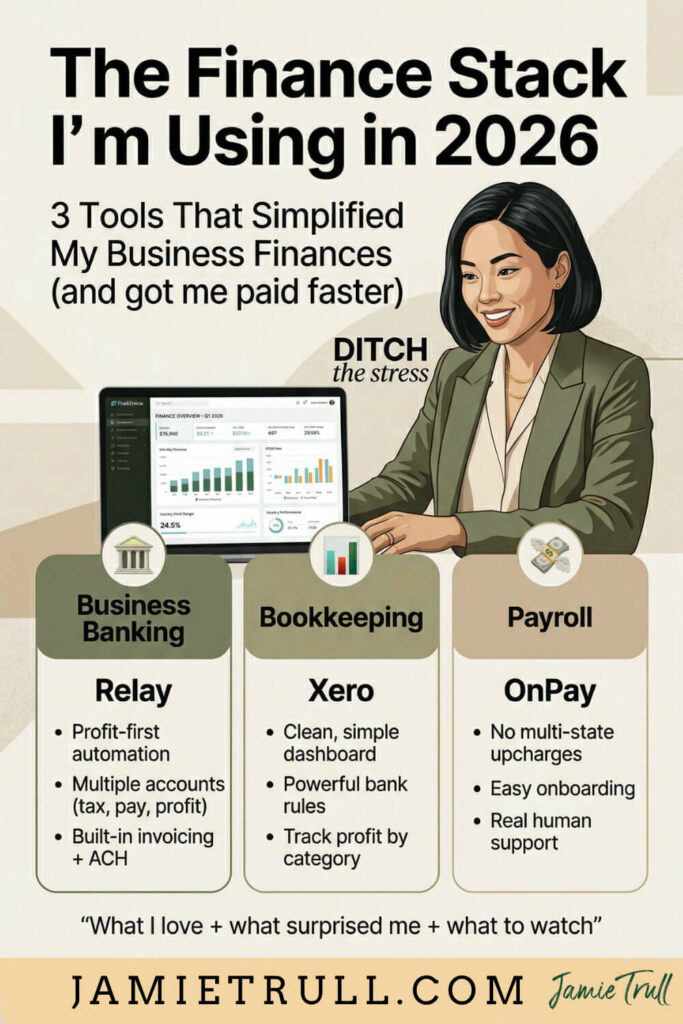
The Finance Stack I’m Using Going Into 2026
1) Business Banking: Relay
- Why Relay: Profit-planning and “envelope” banking in one place. Create multiple FDIC-insured checking accounts in minutes (Taxes, Profit, Owner Pay, Opex, Launch Fund…whatever your business needs). Automate transfers on a schedule so your profit gets paid first. FinTech at it's finest, no heroic willpower required.
- What surprised me about Relay:
- Invoicing + ACH built in, with the ability to automate recurring professional looking invoices.
- Team cards (virtual/physical) with merchant and amount controls—perfect for remote teams.
- Smooth sweeps between accounts so I can zero out balances for a spotless year-end.
- What to know: Fintech banking is ideal for digital/remote businesses. If you deal in cash deposits, a traditional bank may still be helpful as a secondary account. I keep a legacy account open as a backup “park it and forget it” place—intentionally.
- Best use cases:
- You want Profit First–style budgeting tools without gymnastics.
- You need sub-accounts with auto-rules to protect taxes (don't forget sales tax) and owner pay.
- You want granular card controls for contractors/employees.
Try Relay (my exclusive community deal!)
2) Bookkeeping: Xero (after 6 years on QBO)
- Why Xero: It’s a breath of fresh air: cleaner UI, friendlier navigation, powerful bank rules, and tracking categories for internal divisions/lines of business. I’ve been more consistent this year because Xero simply feels easier and faster—especially for monthly catch-up.
- Favorite key features of Xero bookkeeping:
- Cash-coding view to bulk-categorize in seconds.
- Rules that actually stick (and are easy to edit).
- Tracking categories (my love language) to slice P&Ls by program, product, team, or region. Without over-complicating the chart of accounts.
- Reworked period reconciliations that give you confidence your statement ties out. No double counts, no ghosts.
- Where I needed a minute: Xero doesn’t use “subaccounts” the way QuickBooks does. Instead, you configure report layouts and tracking. Once I leaned into that flexibility, I preferred it.
- Migration cliff notes: I ran both systems in parallel for one cycle, then flipped the switch on January 1. (You can switch mid-year too, just follow a clear cutover checklist.)
- Best for: Owners who want automation + clarity, are open to a slightly different mental model than QuickBooks, and love the idea of tracking categories for deeper insights.
Start Xero with the current best offer.
3) Payroll: OnPay
- Why OnPay: Simple, accurate, and doesn’t upcharge me just because my employees live in multiple states. Many providers force a higher-tier plan or per-state fees; OnPay didn’t. That alone got my attention.
- A+ onboarding: I was paired with a dedicated specialist (hi, Pamela!) who:
- Ported my prior payroll history and workers into OnPay.
- Helped me spot a setup mismatch on a W-4 (spouse toggle—classic!) that changed withholdings.
- Jumped on Zoom for my first live payroll run so hitting “Submit” felt easy.
- What to watch:
- Default 4-business-day funding window for new clients. You can request 2-day after a quick bank statement review—do this early so your schedule isn’t disrupted.
- If you’re switching 401(k) providers, expect a short manual transfer period. OnPay gives clear steps; just plan for it.
- Best for: Solos through SMBs who want transparent pricing, strong support, multi-state without drama, and easy add-ons (time, benefits, 401(k) hand-offs).
Switch to OnPay with my $100 referral reward.
How the Tools Work Together (The Real Win)
A great finance stack is less about individual business apps and more about how they support your operating rhythm:
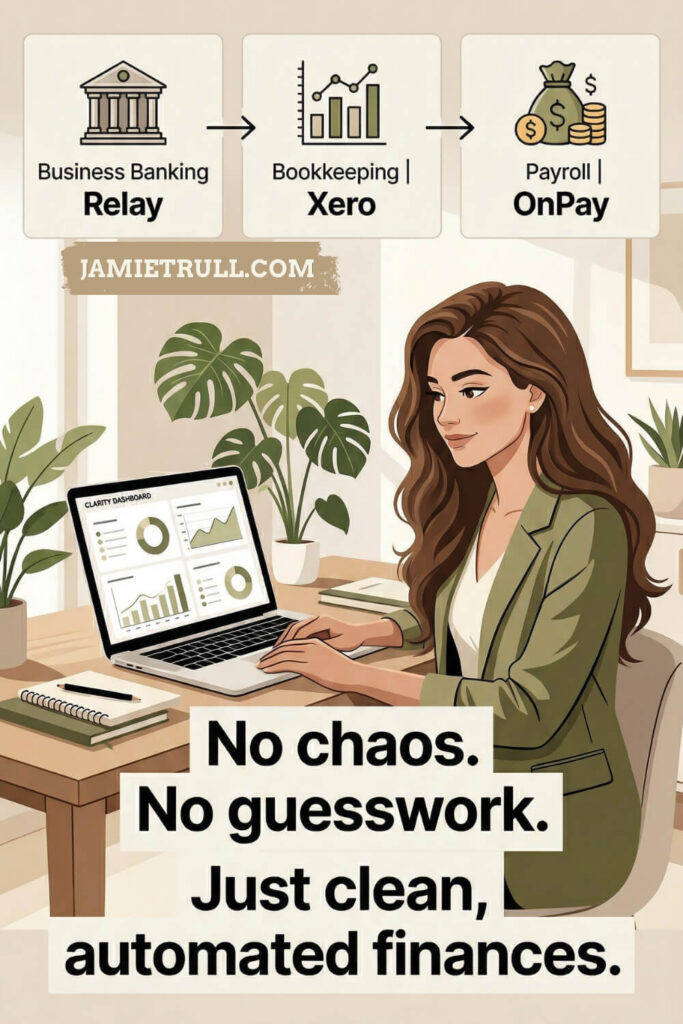
- Relay enforces my Profit/Tax/Owner Pay allocations with easy-to-automate tasks transfers and sub-accounts.
- Xero ingests the bank feeds from each Relay sub-account; rules + cash coding cut categorization time dramatically.
- OnPay pulls from the designated Relay Payroll account, and pushes payroll entries to Xero (clean GL entries, tax season handled).
- Monthly: I reconcile in Xero, run tracking-category P&Ls, then move any surplus in Relay to Profit or a Project account.
The outcome: money is guided where it should go, the books reflect reality without heroics, and payroll is boring (in the best way).
The Migration Playbook (Steal This)
Timeline: 2–4 weeks is realistic without derailing your day job. If you’re reading this near year-end, consider scheduling the switch for January 1 to simplify reporting.
But you can switch mid-year if waiting is costing you peace or money.
Phase 1 — Map & Prepare (2–3 hours)
- Inventory the flows: Where does money come in (processors, clients, platforms, accept credit cards)? Where does it go out (cards, ACH, payroll, subscriptions)?
- Design your Relay accounts: Operating, Payroll, Taxes, Owner Pay, Profit, Projects, etc.
- Choose your cutover date (ideally the 1st of a month or Jan 1).
- Export reports from old systems you’ll want forever (full general ledger (GL), vendor list, payroll YTD, W-2/W-3 drafts, 1099 data).
Phase 2 — Banking Cutover (1–2 hours)
- Open Relay, create sub-accounts, set automations for allocations.
- Update inflows first (processors/deposit accounts).
- Update outflows (cards on file, ACH pulls, payroll debit).
- Keep your legacy bank open for 30–60 days as a backstop.
Phase 3 — Bookkeeping Cutover (half-day)
- Spin up Xero; import your chart of accounts (or redesign. Save time and do it now).
- Connect Relay feeds.
- Import open AR/AP and any outstanding items you want to track.
- Build bank rules for your top 20 vendors/transactions (80/20 magic).
- Run one month in parallel if you’re risk-averse. Otherwise, reconcile to the cutover date and go.
Phase 4 — Payroll Cutover (1–2 hours + onboarding)
- Sign up for OnPay using the link above for the referral reward.
- Submit the prior payroll history migration request (or add OnPay as an authorized read-only user in your old system).
- Schedule a call with your onboarding specialist.
- Ask for 2-day funding if your cadence requires it.
- Verify W-4 and state settings for each employee; run a penny test if you like.
Phase 5 — Stabilize (2 weeks)
- Reconcile your first full month in Xero; resolve any duplicates/timing issues.
- Verify OnPay → Xero entries match net cash movement.
- Confirm Relay automations feel right (tweak percentages if cash is tight/flush).
- Create a weekly Money Monday checklist (see below).
Money Monday: The 20-Minute Habit That Keeps It All Working
Every Monday:
- Categorize last week’s transactions in Xero (bank rules do 80% of the work).
- Check Relay balances; confirm automated allocations landed.
- Pay due bills; schedule the rest.
- Glance at a tracking-category P&L for weirdness.
- Capture receipts for audit-sensitive items (meals, travel, equipment).
Done consistently, you’ll never “fall behind” again.
Costs vs. Control: The Tradeoffs I Actually Felt
- Banking fees vs. interest & control: Relay’s sub-account model + automation saved me from accidental overspending and “forgotten” tax money. The control and clarity outweighed any nostalgia for a single traditional account.
- Software price vs. time saved: Xero’s faster categorization and better reporting views meant I spent less time each month. That’s worth more to me than a nominal subscription difference.
- Payroll plan tiers vs. multi-state reality: OnPay didn’t make me upgrade for additional states, which kept payroll affordable as I hired across the country.
If your stack is “cheap” but constantly costs you time, stress, or mistakes, it’s not cheap.
It’s expensive in the currency that matters most.
Common Pitfalls (So You Can Skip Them)
- Waiting too long: If a system is draining you, you’re already paying for it. Switch sooner, not “when it calms down.” Spoiler: it rarely does.
- Cutting over mid-pay cycle: Finish one full cycle in your old payroll, then start clean in the new.
- Forgetting funding windows: New payroll accounts default to 4 business days. Ask for 2-day funding ahead of time.
- Ignoring W-4 nuances: The spouse checkbox and local taxes can change withholdings. Review employee profiles carefully during onboarding.
- Skipping bank transactions rules: Build the top 15–20 rules on day one; it’s the difference between “Ugh” and “Ahh.”
- Not reconciling early: Do your first Xero reconciliation within two weeks. Tiny issues are easy to fix when they’re fresh.
FAQs: Setting up accounts software for small business
Q: Can I switch accounting systems in the middle of the year?
A: Yes. Choose a month-end cutover, reconcile through that date in your old system, import opening balances and open items into Xero, and keep a tidy paper trail.
If it’s October–December, many owners prefer a Jan 1 switch for sanity.
Q: What if my team spends on their own cards?
A: Issue Relay virtual cards with limits per person/vendor. You’ll get cleaner records and fewer reimbursement headaches.
Q: Do I need both a spreadsheet and accounting software?
A: Use a P&L spreadsheet to catch up fast or to summarize for taxes if you’re very simple.
If you’re a corporation, need to track inventory/loans, or growing fast, use Xero for the live books and keep the spreadsheet for analysis if you love it.
Q: Will my CPA be okay with Xero as an accounting method?
A: Most are; many firms now support Xero alongside QuickBooks. What your CPA wants most is clean, consistent data—which Xero delivers beautifully when you use rules and reconcile monthly.
Want My Exact Financial Tools Stack?
- Banking: Relay (Profit/Tax/Owner Pay automation, sub-accounts, team cards) → https://jamietrull.com/relay
- Bookkeeping: Xero (bank rules, tracking categories, cleaner UI) → https://jamietrull.com/xero
- Payroll: OnPay (multi-state without extra plan tiers, real onboarding help) → https://jamietrull.com/onpay
If you’re not sure which bookkeeping tool fits you best, I keep an up-to-date comparison of the accounting tools I recommend (with current deals).
Your 7-Day “Switch Sprint” (Mini Plan)
Day 1: Open Relay, create sub-accounts, set allocation rules.
Day 2: Point all inflows (processors) to Relay.
Day 3: Move outflows (cards/ACH/payroll debit) to Relay.
Day 4: Set up Xero, connect bank feeds, import open items, create 15 bank rules.
Day 5: Sign up for OnPay, submit prior payroll data, request 2-day funding.
Day 6: Run a penny test (or tiny payroll test if timing allows), finalize settings.
Day 7: Do your first Money Monday. Reconcile one account in Xero for the confidence boost.
Small steps. Big relief.
Final Thought: You Don’t Need More Third Party Apps—You Need the Right Ones
Switching can feel intimidating, but the payoff is real: clarity in your numbers, control over your cash, and calm in your operations. If you’re ready to feel lighter going into 2026, start with one upgrade and keep going.
And if you do switch, tell me in the comments which tool you started with and what you’re already noticing. I’m rooting for you.
This post may contain affiliate links, which means I may earn a small commission if you make a purchase through these links at no additional cost to you (in fact, using our links can typically SAVE you money). We appreciate you supporting our small business by using our links!
Transcript:This transcript was generated from the video for your convenience, but it may contain typos or slight errors due to the transcription process. For the most accurate and complete information, we recommend watching the full YouTube video.
QuickBooks Online for Small Businesses & Accounting Software for Small
I'll be honest, I usually will tend to be the type of person that will stick with the solution for way too long, just because I don't feel like switching.
And then I will finally get to a point where it will drive me so crazy that I will literally switch everything all at once.
And that is pretty much what I did this year.
I switched everything.
I switched my bookkeeping software, my payroll software, my business banking. I literally just made the shift. All across the board.
And I'll be honest, some of it was amazing. I'm so, so glad I did it.
Some of it was a little bit of a hassle, but I'm still mostly glad I did it.
And the great thing is I can actually teach you what I learned through that switching process and let you know what I'm using now and why.
So if you're in the same mode where you just kind of wanna switch up. Everything because you're tired of it all and you want a new system that actually works for you.
Then let's talk about what's working for me in 2025 and going forward.
Quick Introduction To Jamie Trull, CPA and Financial Educator
So if you're feeling anything like I was and you're just ready to switch it all over, it's driving you crazy.
Well, this is the video for you, and you can learn from some of my lessons and mistakes along the way.
Hi everyone. I'm Jamie Trull, your favorite CPA and financial educator, and here on this channel I love to bring you all the things to keep you informed, organized, and profitable in your business finances.
So please, please, please make sure to subscribe.
Alright, so now on to the tools that I'm actually going to be using 2026 and going forward, what is working right now, and let me tell you, it's different than when I first started my business six or seven years ago.
Cloud Accounting & Online Accounting Software for Small Businesses
Side note, if any of you are middle school moms like I am, I'm sorry, but I cannot keep going without saying this because I just said six or seven, so now I have to do it.
Six, seven.
All right, so now let's jump into it. I'm gonna walk you through the tools that I switched to, why I made the switch, and what I like and where I've run into some roadblocks for each one of these.
And I'm not saying that these solutions that I chose are gonna be the same ones you will choose. I actually have some tools that can help you make that decision.
However, I will tell you what my thought process was and what I like the most about these solutions and see if it's a good fit for you.
Oh yes.
And of course I will make sure to be mentioning any partner deals that I have because when I like a program, I will pretty much immediately go and try to negotiate the best possible deals with them for my audience.
So you'll be able to find deals you cannot get elsewhere right here. And of course, stick around to the end.
'cause I'm gonna tell you the number one mistake people make when they are switching software systems and how you can avoid it.
Now, first, let's talk about business banking. So my journey with business banking has been a little bit of a long one, to be honest.
When I first started my business, I really struggled to find a bank that did what I wanted it to do.
Financial Reporting & Bookkeeping Software for Micro Businesses
And the main thing I was looking for was a business bank that did envelope type budgeting.
Where I could actually create either separate reserves or even fully separate accounts where I could track things like taxes, reinvesting in my business, payroll, all kinds of things.
I actually teach a method called profit planning, which talks about how you can divide up your business money into multiple different buckets.
And I really wanted to find a banking system that could actually handle what I wanted to do with my money so I wouldn't have to continue to rely on spreadsheets to do all of that tracking.
So back in the day, my first business banking platform that I found that did this was Aslo. It was great for a time. It had little envelopes that I could put money into.
Then Aslo went away, unfortunately.
And so I had to change, and then I switched over to Novo. Which had very similar functionality, and I really did like Novo.
I actually still have my Novo account that I'm using sort of as a separate account to put money aside.
However, there were a few reasons that I decided to start looking at other business banking options. Not that first reason was that I felt like with Novo, I was missing out on interest.
Free Accounting Software vs Online Money Tools for Small Businesses
Sometimes I can keep some significant cash reserves.
Especially if I'm saving for something like taxes or reinvesting back into my business. And so I wanted to make sure that I was able to get some type of interest on those funds that were just sitting there unused.
And I also like the idea of having a little bit more functionality in terms of what my team could do as my team was growing, and it wasn't just me anymore.
I wanted to give my team access to have their own virtual debit cards that they could use and even be able to budget specific accounts just for them.
So when I went searching for this type of functionality, I really knew that it was probably going to be a FinTech that was going to be able to fulfill those needs.
And what a FinTech is, is basically just a financial tech company that's built on top of an existing FDIC insured bank.
So they partner with the FDIC insured bank,.but then they create really cool solutions.
Really cool apps functionality that allow you to do all of these types of things that you probably couldn't do if you were gonna just use your bank down the street.
Free Bookkeeping Software & Accounting Software for Small Businesses
Now, of course, fintechs might not be the best fit for everyone, especially if you deal a lot in cash.
Because it's not super easy to go and deposit cash in most of them, or withdraw cash.
However, because most of what I do is online anyway. I really love all the cool functionality that you can get with a FinTech banking solution.
Now, after going to lots of accounting conferences and talking with many of the different banking platforms that were there, I actually settled on Relay.
And Relay was the very first business banking platform that I saw that had the functionality that I was really looking for. And they were also Profit First certified.
So if anybody's read Profit First, it's another methodology for managing your money in your business.
It's a book written by Mike Michalowicz, and so I knew they would have the functionality to do my profit planning.
Because they had that functionality built in for Profit First.
Mike Michalowicz is the creator and author of Profit First. Profit First is a registered trademark.
You can purchase Profit First here.
Online Bookkeeping Software & Small Businesses Growth
And so with Relay, the thing I loved is that I could open up multiple different accounts at the click of a button. I could do automations, all kinds of things.
However, I opened my relay account last year, but I didn't start using it as my real main business banking platform until this year.
And this year I finally went ahead and switched everything over and went through the process of going and looking at all of my income and making sure that it was all getting deposited into the correct bank account.
And similarly, making sure that my credit cards were paying from there as well.
And any other payments that I was making, like payroll, were being pulled from the correct count.
So that probably took actually just a couple hours.
It wasn't even as hard as I thought it was gonna be to switch over. I dunno why I waited so long.
However, I had been waiting for some new features that Relay finally rolled out.
Accounting Software & Financial Reporting with Cloud Accounting Tools
So one of the things I was using consistently in Novo was their invoicing functionality.
I don't like to pay for people to be able to pay me by ACH.
And so I really liked that function in Novo where I could send an invoice via Novo and people could pay me via ACH for free.
And now Relay has rolled out a very similar function for invoicing.
It actually has even a little bit more features.
I love that I can automate some of the invoicing for invoices I send every month.
And so that has been great. So that was the final thing that I was waiting on to make the full switch. So that's what I did this year.
I moved everything over again.
It really took maybe two hours at most just to get everything moved over and set up the way that I wanted it.
But now that it's the end of the year, I'm so, so glad I did it.
Now, to be honest, I'll probably keep my Novo account open, like I said, just as kind of a backup account.
QuickBooks Online Alternatives & Online Accounting Software Insights
But from now on, most of my transactions are going to be running directly through Relay.
Alright, moving on. Not only did I switch my business banking this year, I also switched my bookkeeping software and this, y'all was a big one.
This one took a lot of thought because I have been a QuickBooks online user since I started my business.
And in fact, I have used QuickBooks since even before that. QuickBooks is the name that's out there.
When you start a business, one of the first things you probably do is go check out QuickBooks, because that's what everyone seems to use. And I don't dislike QuickBooks. I'm still an affiliate for QuickBooks.
I still think that it could be the right solution for some people, but my audience was asking me and asking me and asking me to try out other solutions.
And if there were any alternatives to QuickBooks that I would recommend.
Cloud Accounting & Accounting Software for Small Business Growth
And I'll tell you that I tried out some of the same solutions I tried this year a few years ago.
And I did not recommend them then. I'll be honest, I really didn't.
But this year things have changed. The functionality has changed. They've rolled out some features that I think were really necessary.
And in fact, I think there are actually some better solutions, especially depending on your needs out there.
Then QuickBooks online.
And one of the other reasons that got me looking at this is that I saw the writing on the wall with QuickBooks online. I
t is no secret that there has been some consternation around QuickBooks changing pricing, QuickBooks getting rid of their desktop version.
At least in the way that we knew it before QuickBooks competing with accountants.
So there's just been a lot out there in the QuickBooks world.
And they're also starting to target bigger companies, not so much your true small businesses that I work with and that I love.
Online Accounting Software, Financial Reporting & Bookkeeping Software
So that was really the impetus for me to say, we need another alternative.
So I actually found a few that I really like, especially depending on what your needs are in your business.
But for me, the one that was gonna meet the needs of my main business best was Xero. And that kind of came as a surprise in the past.
I didn't love that.
They didn't have a very good reconciliation feature, honestly, that I was used to being an accountant in the US.
And that made sense because Xero is actually based in New Zealand. So they have a huge market globally.
But they really weren't massive in the US until really a couple of years ago.
And so now they've rolled out more features that have made the US market a lot happier, and have made us accountants a lot happier.
And I am seeing people move in droves.
Accounting Software, Cloud Accounting & Small Businesses Efficiency
I'm a really big fan of the underdogs.
That's another reason that I love Xero. I feel like they're that perfect number tw, underdog.
But I really love the functionality. I love the interface.
I actually think it's more intuitive than the Intuit product, which is QuickBooks.
So for me, it just felt like such a slam dunk move to move to Xero.
And I'll tell you that even I, somebody who teaches numbers, sometimes can struggle to want to go in and take a look at my bookkeeping and make sure that everything is correct, right?
I have been more on top of my bookkeeping this year than ever before because it's so much easier with Xero.
I've automated a ton of it. I've made rules.
I am using tracking categories.
I'm doing all kinds of things that I really love and have given me lots of insights into my business that I didn't have previously.
Online Accounting Software & Micro Businesses Financial Reporting
So I've done lots of videos about Xero, including how to switch to Xero.
If you're using QuickBooks or really any other platform, this will apply.
You can check those videos out.
And also my comparison to QuickBooks, if you're wondering what's different about it.
Definitely check that video out next because I'll tell you, Xero is such a great solution.
And of course if you're interested in signing up for Xero.
Make sure, make sure, make sure to use my link.
I have the best deal out there, I gotta tell you right now. And this is subject to change.
It is on sale with my link for 95% off for six full months plus zero is gonna gift to you a copy of my new book, hidden Profit.
Accounting Software, Bookkeeping Software & Small Businesses Scaling
Alright, now on to payroll. I also switched payroll this year.
Now I have switched payroll three times with my company thus far.
Part of that is just because I love to try out different payroll systems, see how they compare and contrast.
Find ones that my audience is really gonna love as well.
And some of that is because our needs change over time.
As a small business, I've actually hired two more employees full-time this year.
And so as my business gets bigger, my needs change.
So over time I had gotten to know the people at OnPay through accounting conferences, and I really liked them.
I really liked they had to say and what they stood for, and so I decided to give OnPay a try.
Online Accounting & Financial Reporting for Small Businesses Systems
Now what I love is that OnPay's been around for a while.
They're not just some startup fly by night payroll company that has shot up, which there are lots of those to go check out as well.
But OnPay's been around the block for a while.
They know what they are doing. However, they've also kept up on the technology front.
So they are not archaic.
Things are very, very functional, easy to use, intuitive, and that's something that I've really liked about OnPay.
And one of the main reasons that I decided to switch is because it was actually gonna save me money.
Cloud Accounting & Accounting Software for Small Business Transitions
I have employees in five different states. We all work remotely, and I'm not a big business.
I only have five employees, but we all live in different states.
And most other payroll platforms were either gonna charge me more because I had employees in multiple states.
Or I was gonna have to upgrade to a higher package in order to be able to pay my employees in those various states.
But not with OnPay. So I originally went that direction because of that.
But what I found in that process is how great their customer service actually is.
They had told me that I would have an onboarding specialist that would help me get set up, and I really just assumed, you know, I might hear from them one time and then never again.
Or they'd be really hard to get ahold of … or maybe it'd be different people. And that could not have been farther from the truth.
Online Accounting Software & Bookkeeping Software Best Practices
My girl, shout out to Pamela, who was there the whole way, making sure I knew what was happening.
Making sure that I knew what I had to do, and make sure that we were good to go for that first payroll.
Which she actually ran on the phone with me. We did it together.
So I'm really, really impressed thus far with OnPay.
It has been a great experience, great onboarding experience, and now we're in the process of moving over my 401k, if I'm honest.
That's probably been the most complicated part of all of this.
And I'm making a video all about how that switch went.
That's gonna be coming out soon, so make sure you subscribe if you're interested in seeing how I actually switched my 401k and the things to avoid.
Mistakes To Avoid When Changing Financial Systems In Your Business
All right, now I'm gonna tell you about that big mistake that I see people make all the time when it comes to switching.
And honestly: it's waiting too long.
It's waiting too long to make the switch.
Sometimes we get so used to the things that we have that we're just dealing with the frustrations because we're used to it.
And to be honest, it takes a toll even if we don't realize it.
So once you kind of get these new systems in order, it's almost like spring cleaning for your business.
Finances, there's a different energy involved.
You feel like you can actually make sense of your numbers, and it feels like there's more of a flow.
Doesn't mean that there aren't going to be some snafus.
Some things you need to work out, be prepared for that, right?
We don't wanna have to do this in a very short period of time.
Give yourself a little bit of transition time in between.
Small Businesses, Accounting Software & Final Switching Advice
Maybe you stick around with your other bank or maybe you don't close it at all, right?
Or perhaps you do a little bit of double bookkeeping just to make sure you are good to go in the new system before getting rid of the old one.
There is no shame in that, so don't feel like you have to have everything done and ready immediately to be able to make the switch.
And I'll tell you once you do it: It's just gonna feel so much fresher, so much better, so much lighter.
And if you feel like everything's kind of a mess, I'll tell you: starting fresh and clean is a great feeling.
Even though my books were in general decent shape, I still was able to make some improvements with how I was tracking things.
That are more in line with how I look at my business today versus how I set things up six years ago.
Online Accounting Software & Tools for Small Businesses Growth
So if you are thinking about switching any of your financial tools, I have some goodies for you.
Make sure to check out the description below for all the links and these special deals that I have.
Not just the tools that I have mentioned in this video, but also many other tools that you might want to use in your business.
Now, if you wanna go deeper or you're wondering what I'm using for my personal finances, make sure to subscribe because I'm gonna be doing a video on that soon too.
I made a lot of changes when it came to my personal finances this year, and I have some really cool new tools to share with you in another video.
Thanks for watching and remember, you don't just need more tools.
You need the right tools in your business that are gonna help you stay informed, organized, and profitable.
I'll see you next time.