This Xero vs Quickbooks breakdown is for the small business owner.
I’ve created a real-world, CPA-level breakdown of how these platforms feel in everyday use, what actually matters for small businesses, and what surprised me when I switched.
I’ll cover interface, collaboration, bank feeds, reporting and analytics, pricing and value, support, standout features (like Xero’s tracking categories) and, most importantly: who each platform is best for.
You’ll also get a clean migration plan (yes, you can switch mid-year), an FAQ, and my recommended next steps.
👉 Explore Xero (and see the current deal)
👉 Explore QuickBooks
Table of Contents
- Why I Evaluated Both (and What Changed)
- UI & Usability: Where You’ll Actually Click All Day
- Collaboration & User Access: Unlimited vs Tiered
- Bank Feeds & Reliability: The Silent Deal-Breaker
- Reporting, Insights & Forecasting: Making Decisions (Not Just Filing Taxes)
- Pricing & Value: What You Pay—and What You Get
- Support Experience: Tickets vs Phones (and What Really Helps)
- Standout Features That Moved the Needle
- Who Each Platform Is Best For (Quick Guide)
- How I Switched: A Clean, Mid-Year Migration Plan
- Your 30-Minute Pre-Switch Checklist
- FAQ: Short, Practical Answers
- Related Tools & Deals
- Final Take: Why I Landed on Xero
Why I Evaluated Both (and What Changed)
I recommended QuickBooks Online for years—and still think it’s a strong solution for many businesses. But 2024–2025 brought a few shifts that made me re-evaluate:
- Interface changes in QuickBooks that didn’t fully solve navigation friction for non-accountants.
- Tags behavior in QuickBooks changed, making segmentation more limited at lower tiers.
- User limits tied to pricing tiers (a real constraint for collaborative teams).
- Increasing interest from my audience in alternatives with simpler UX and predictable pricing.
So I tested Xero deeply—ran my live books, synced multiple banks, built reports, used tracking categories, and connected add-ons. After months of using both in parallel, I moved to Xero.
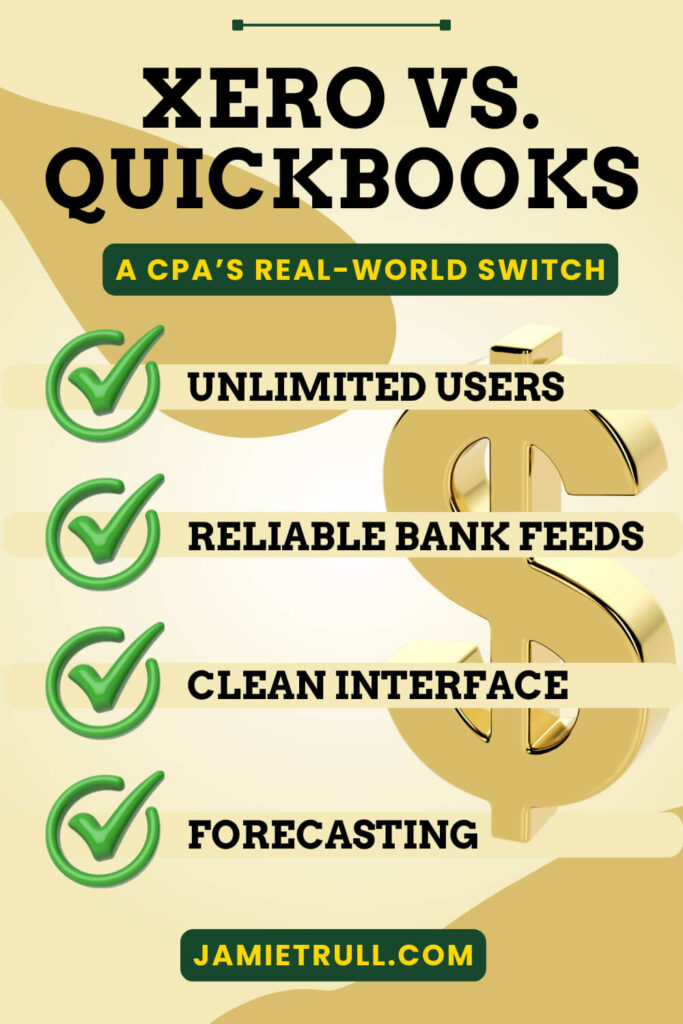
UI & Usability: Where You’ll Actually Click
QuickBooks Online
- Familiar to many bookkeepers, but navigation often requires multiple clicks through sidebars and submenus.
- The latest UI refresh allows more personalization, but I still find myself hunting for certain flows.
Xero
- The top-nav with clear dropdowns feels intuitive and fast.
- The revamped home dashboard is customizable with useful charts and shortcuts.
- For non-accountants or owner-operators, the layout tends to “click with your brain” faster.
My take: If you’ve ever felt “lost in the menus,” Xero’s layout may feel like a breath of fresh air. It did for me.
Collaboration & User Access: Unlimited vs Tiered
QuickBooks Online
- Number of users depends on subscription level.
- Need more people in the system (billing, approvals, projects, reports)? You’ll likely have to upgrade tiers.
Xero
- Unlimited user access on every plan.
- Easier to give specific permissions to exactly who needs them (e.g., a VA who sends invoices, employees who log time, a manager who approves bills) without playing “musical chairs” with seats.
Why this matters: When you stop rationing access, teams use the software the way it’s intended—live, collaborative, real-time. That makes the books more accurate and your reporting more actionable.
Bank Feeds and Reliability: The Silent Deal-Breaker
A good bank feed is invisible. A bad one eats your Friday.
QuickBooks Online
- Broad coverage and many direct connections.
- In my longer history on QBO, I’ve had disconnects and duplicate pulls, which required cleanup and backfills. (I even made a tutorial because so many of you hit the same issue.)
Xero
- Also broad coverage and strong direct connections.
- Over ~10 months of daily use, I experienced reliable syncing with no disconnect/double-count issues.
Bottom line: Bank feed reliability is not flashy—but it’s make or break. In my recent experience, Xero’s been rock-solid.
Reporting, Insights and Forecasting: Xero’s Made For Making Decisions (Not Just Filing Taxes)
You don’t keep books for the IRS—you keep books to run a smarter business. Both tools can produce the core reports (P&L, Balance Sheet, Cash Flow), but they diverge in how you analyze and forecast.
QuickBooks Online
- Robust reporting with custom columns, classes/locations (at higher tiers).
- Solid for historicals; forward-looking tools typically require add-ons.
Xero
- Strong base reporting. While Xero doesn’t use “sub-accounts” like QBO, the report builder lets you group and subtotal accounts flexibly and save your custom views (a nice upgrade for analysis geeks).
- Analytics via SIFT integration (available right inside Xero) adds cash-flow projections, trend analysis, and slick visual dashboards with one click.
Why I care: Small businesses need forward-looking financial visibility. Having built-in projections is a quiet superpower, especially for planning hiring, launches, and tax estimates.
Pricing and Value: What You Pay—and What You Get
Pricing changes, so always check the current offers:
- QuickBooks Online: Feature access and user counts scale with tier. Strong ecosystem; total cost can rise as your needs grow.
- Xero: Unlimited users across plans; tracking categories at lower tiers; strong value for collaborative teams.
- Deals: I negotiated a special Xero offer for my audience—go through JamieTrull.com/xero to see the current promotion (historically excellent). For QuickBooks, use JamieTrull.com/quickbooks to compare today’s pricing.
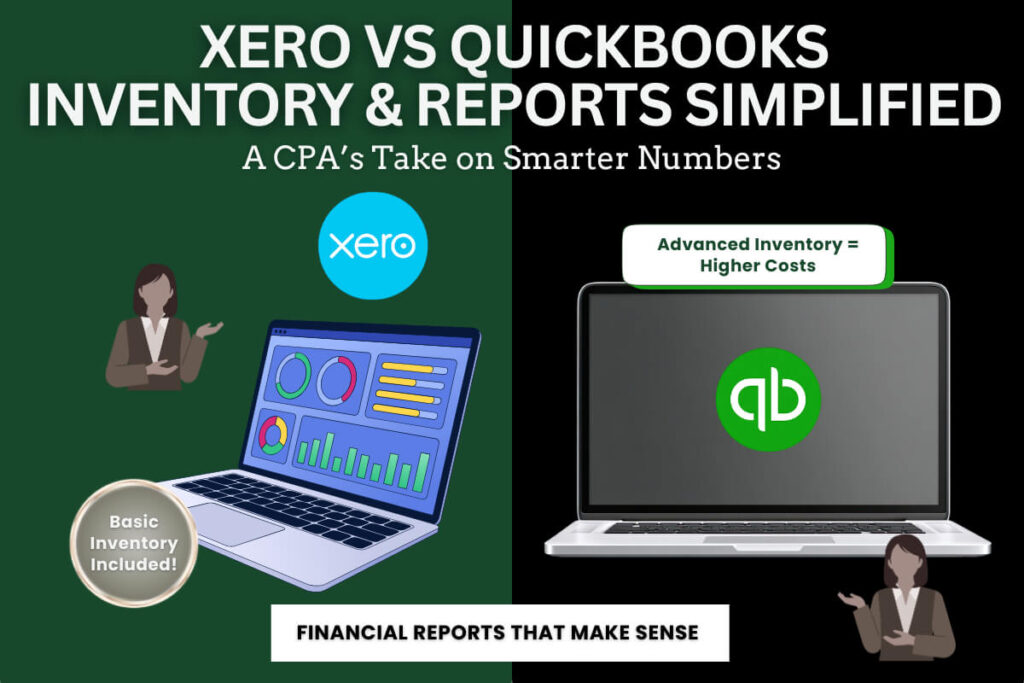
Value lens: If you’re inviting multiple team members (or your accountant) and want live collaboration without “seat math,” Xero’s unlimited users are a big deal. If you’re already embedded in QBO’s ecosystem and need its higher-tier features (e.g., advanced inventory), QBO may be worth the premium.
Support Experience: Tickets vs Phones (and What Really Helps)
QuickBooks Online
- Phone and chat support available.
- My mileage has varied: sometimes long waits and mixed resolution quality.
Xero
- Ticketed support; responses have been fast and on-point in my experience.
- I’ve even received call-backs after submitting a ticket when a deeper discussion helped.
One wish for Xero: A pre-sales phone line. Workaround: use my link, start a low-risk trial with the promo, and test your real-world questions inside the product.
Standout Features That Moved the Needle
- Xero Tracking Categories
Think of these as flexible dimensions for slicing your data—departments, offers, markets, locations, you name it. I assign one to every transaction and pull dimensional P&Ls in seconds.
Note: QuickBooks changed how Tags work recently; similar segmentation now tends to push you toward Plus (Classes/Locations) to get what tracking categories do even on lower Xero tiers. - Xero + SIFT Analytics
Instant cash-flow projections, trend visuals, and management dashboards that non-accountants actually understand. - QBO Strengths
If you need advanced inventory or you’re tightly integrated into certain QBO-first apps, QuickBooks may still be the best fit. It’s also the most familiar to many bookkeepers.
Who Each Platform Is Best For
Choose Xero if you:
- Want unlimited users and granular permissions at all tiers.
- Care about clean, intuitive navigation for non-accountants.
- Need reliable bank feeds (especially if you’ve had disconnect pain).
- Love the idea of built-in forecasting and flexible report grouping.
- Want tracking categories without upgrading to a higher plan.
Choose QuickBooks Online if you:
- Depend on advanced inventory or specific QBO-native apps.
- Already have a bookkeeper deeply fluent in QBO and are happy with current workflows.
- Prefer phone-based support out of the gate.
How I Switched: A Clean, Mid-Year Migration Plan
You don’t have to wait for January. Here’s how to switch with minimal disruption:
- Pick a transition date.
- End of a month or quarter is clean, but not required.
- Give yourself 1–2 weeks of overlap if possible.
- Back up and export from QuickBooks.
- Chart of accounts, customer/vendor lists, products/services, outstanding AR/AP, trial balance, YTD P&L and Balance Sheet.
- Export bank rules if you plan to rebuild them in Xero.
- Create your Xero org (use my promo link).
- JamieTrull.com/xero → start the plan that fits today; you can upgrade later.
- Initial Xero setup.
- Org details, financial year, chart of accounts (import or map), tracking categories (decide your dimensions now—huge payoff later).
- Connect bank feeds (verify via your bank portal).
- Import opening balances.
- Use your trial balance as of the day before your “go live” in Xero.
- Bring in open AR/AP so you can continue collecting and paying without missing a beat.
- Recreate or import bank rules.
- Spend 20–30 minutes building your most common rules. Xero’s rules engine is powerful, and this step saves hours every month.
- Parallel-run (optional but nice).
- For your first cycle, sanity-check totals against your old books.
- Lock your prior periods.
- Once you’re satisfied, lock your pre-switch period in Xero to keep history clean.
- Archive your QBO subscription when ready.
- Keep a local export of reports for your records.
I moved my live books to Xero in less than an hour of focused setup after planning the above.
Your 30-Minute Pre-Switch Checklist
- Choose go-live date (e.g., first of next month).
- Export from QBO: chart, TB, AR/AP, lists.
- Start Xero via JamieTrull.com/xero (activate promo).
- Define tracking categories (e.g., Offers, Markets, Departments).
- Connect bank feeds in Xero.
- Import opening balances and open AR/AP.
- Build bank rules for your top 10 transaction patterns.
- Run first reconciliation and spot-check reports.
- Lock prior periods.
FAQ: Quickbooks and Xero
Can I switch mid-year without messing up taxes?
Yes. Use a clean trial balance as of a specific date, import year-to-date balances and open AR/AP, and lock prior periods. Your CPA will thank you.
Will I lose my history?
No. You’ll keep historical reports from your prior system and bring summary balances into Xero. If you need full transaction history in one place, consider a paid conversion service—but most small businesses do fine with summary history + live detail going forward.
Is Xero good for product/inventory businesses?
Xero handles simple inventory natively and integrates with specialized inventory apps. If you need advanced inventory inside your accounting tool, QBO’s higher tiers may fit better.
Do I have to re-create all my invoices & products?
You can import customers, vendors, and products/services via CSV, then update branding and layouts in Xero.
What about my accountant—do they need to approve?
Loop your accountant in early. The good news: Xero has unlimited users, so granting access is hassle-free.
How do tracking categories compare to QuickBooks classes/locations?
Similar concept; in Xero, tracking categories are included at lower tiers and are very flexible. QBO’s comparable features typically require Plus.
Related Tools and Deals
- 📚 Xero (current deal)
- 💼 QuickBooks
- 🏦 No-Fee Business Banking
- 📚 DIY Accounting Solutions (Decision Tree)
- 💳 Best Business Credit Cards
- 📈 Create Your PROFFIT Plan™
- ✅ Savvy S-Corp Owner Masterclass (Salary)
Final Take: Why I Landed on Xero
It wasn’t one flashy feature; it was the sum of daily realities:
- Navigation that makes sense to non-accountants.
- Unlimited users so my team can actually collaborate.
- Rock-solid bank feeds (I cannot overstate the peace of mind).
- Tracking categories for dimensional reporting without upgrading tiers.
- Forward-looking analytics I can use in real time.
QuickBooks Online remains a fantastic tool, especially for businesses that benefit from advanced inventory or are tightly integrated in its ecosystem. But for my business—and for many small teams who want an intuitive, collaborative system with strong planning features—Xero won.
If you’re ready to try it, grab the current Xero deal here: JamieTrull.com/xero
If you prefer to stick with QuickBooks, compare today’s pricing here: JamieTrull.com/quickbooks
Drop your questions in the comments—I read them and update the FAQs.
Disclaimer & Sponsorship Disclosure
This article is for educational purposes only and is not financial, legal, or tax advice. Please consult your own advisor regarding your specific situation.
Some links in this post are affiliate/partner links. If you purchase through them, I may earn a commission at no additional cost to you. I only recommend tools I personally use or trust. This post may be considered sponsored in partnership with the featured platforms. Deals and pricing mentioned are subject to change—always check the link for current offers.
This transcript was generated from the video for your convenience, but it may contain typos or slight errors due to the transcription process. For the most accurate and complete information, we recommend watching the full YouTube video.
Xero vs QuickBooks: Accounting Software Overview
After a full six years of using and recommending QuickBooks online, I made the switch to Xero this year, and today I’m gonna tell you exactly why I decided to make that switch.
So if you’re an entrepreneur or a small business owner and you’re trying to make the decision on what the best accounting and bookkeeping software.
Is for you, then I definitely want you to watch this video. I’m gonna break down the key differences, pros and cons of each, and what eventually led me to decide that Xero was going to be my choice going forward.
And in this video, I’m also gonna tell you what tripped me up when I was trying to make this switch.
And later on in this video, I’m gonna tell you about one feature in Xero that I didn’t think that I was gonna care about, but ended up being a total game changer.
So if you’re looking for more insights like this on tools for your business, definitely make sure to hit that subscribe button.
Meet Jamie Trull, CPA and Financial Literacy Coach
Hi everyone.
I’m Jamie Trull your favorite CPA and financial literacy coach, and this channel is all about bringing you information to help you stay informed, organized, and profitable in your business finances.
All right, let’s jump in and talk about the differences between these two platforms. And I’m not just talking about the things that show up when you go on their websites and you see the little columns comparing the two different programs.
I’m talking about the real differences that you may not know about until you get really deep into the platforms. And I’ll tell you that I used QuickBooks online for many years, so I know that platform pretty well.
But I wanted to spend a good amount of time in Xero really getting things set up and utilizing it before I could decide what my go forward platform was gonna be.
So I’ve been bookkeeping in both of these systems this entire year, so we’re gonna dive deep into some of these real differences.
Key Differences in User Experience and Key Features
Now. First and foremost, user experience and interface.
So, QuickBooks Online had a really familiar dashboard for a lot of us up until recently where they changed a lot of things about it.
And if you’ve been using QuickBooks online for a while, it’s probably taking some, getting used to, to click around and figure out.
Where to find the things that you’re looking for.
Now, personally, I never found the old interface very intuitive, and in playing around a little bit with the new interface, it solved maybe some of those problems.
But it still is a lot of clicking around to figure out where you need to go. Now, they have made it a little bit more customizable, which I appreciate, but I still don’t find it super easy to navigate.
But I will tell you that when I first started really working in Xero this year.
It actually felt like a bit of a breath of fresh air, and they just recently came out with a new user interface that’s even easier to use and I don’t know if it’s just the way that my brain works.
But having the main categories all up across the top where there’s a really quick dropdown and you can find what you need really easily is a game changer in QuickBooks.
I have trouble remembering where exactly the thing I wanna do.
Lives, and I have to go through and kind of scroll to see on the million different sidebar categories and subcategories where I need to go and click around in order to find the screen that I’m looking for.
But in Xero, everything that I need is neatly put into categories that.
Actually make sense and it doesn’t take a lot of clicking around to figure out where I need to go, and I’m loving their new user interface.
That really helps you customize what you see and the charts and graphs and the information that you’re able to see right when you log into Xero.
QuickBooks and Xero: Why Cloud-Based Software Wins
Now, the second thing that I wanted to talk about was user access and collaboration, and both of these platforms are cloud-based, which means they’re really built for that collaboration.
You could have multiple users who log in and see the same version of the truth.
There’s no version control issues like there were with old desktop softwares.
Additionally, both of these will allow you to set user permissions so that certain people can only log in and do certain things. So let’s say you wanna give your accountant access to just be able to pull reports.
You can do that, and this type of functionality is a large reason that I’m a big proponent of cloud-based accounting software. A lot of people love their old desktop software, but I really think this is the wave of the future.
And yes, that does mean it comes with a subscription fee, but personally I find that well worth the functionality you get.
User Access and Collaboration
Now, the biggest difference between these two different platforms.
When it comes to user access is that in QuickBooks, the amount of users that can access the platform is gonna depend on which of the various different levels you have.
So the lower levels that come with lower subscription fees are going to have restrictions on the number of users and to get more users.
If you have a lot of people you want to be able to access information, then you’re gonna need to opt for a higher package, but in Xero.
Every single package comes with unlimited users.
And this is great because now you don’t have to pick and choose who gets access to the system.
If somebody needs it because they’re gonna be sending invoices or paying bills, you can give them that access without worrying that it’s going to take away from the total number of users that you have or needing to upgrade to that next level.
And I think this is really great. Smart on Xero’s part because different teams are gonna be different and it will also allow you to use more of the great tools that they have within Xero.
Bank Reconciliation, Expense Tracking, and Cash Flow Reliability
Now moving on to bank feeds and syncing, this is another really important feature of cloud-based software. They’re gonna be able to sync with your different bank accounts and credit card accounts and pull them directly into the platform.
Now, one thing that I love about both QuickBooks Online and Xero is that they have tons of direct bank connections. And the reason that direct connections are really important is because they are gonna be less prone to randomly disconnecting.
So I think it’s great that both of these companies have really focused on increasing the number of direct connections that they offer.
Now, I’m gonna speak a little bit more, and anecdotally here from. Experience with QuickBooks Online versus with Xero.
In my admittedly, longer period of time of working with QuickBooks online, I did run into several scenarios where my banks would get disconnected and I would have to go in and figure out what transactions were missing.
And I even made a video on this last year because it was something that so many people ran into.
And you can see this was a very popular video, so a lot of people were having this exact same problem.
I’ve also had issues in the past with QuickBooks online doubling certain transactions and having to go in and mark them as duplicates.
Now, on the other hand, Xero has been incredibly reliable in the last 10 months that I’ve been using it, I have not had any issues with bank.
Disconnecting or double counting or missing transactions.
So at least from my anecdotal experience, it seems like the syncing is doing better and is a little bit more reliable in Xero than what I ran into with QuickBooks Online.
Reporting, Insights, and Key Features for Business Decisions
Alright, now moving on to number four, which is reporting and insights. Now.
If you followed me at all, you know that this is the key reason I think you need to be doing your bookkeeping.
Yes, it’s important to do bookkeeping for taxes, blah, blah, blah.
However, in my opinion, being able to make decisions in your business and have access to real time data that is accurate and well organized is really the purpose of having these bookkeeping systems and keeping them up to date.
There is a treasure trove of information about your business.
In your financial records, and as business owners, we should be routinely reviewing that and using that information to make better decisions in our business and grow and scale it.
And again, here I’ll say both systems have incredible reporting.
You have access to everything that you need within the system.
Again, assuming it’s been set up correctly to capture the data that you want.
But I gotta tell you though, Xero has a new partnership with a company called Sift, and it increases the amount of analytics you can see at the push of a button.
Sift even has built in cash flow projections, which y’all, that is.
Absolutely huge.
Most accounting softwares, understandably, are gonna focus on the past and getting your data organized, but the fact that there is functionality in here that actually focuses on the future and looking forward is really awesome.
And there’s no shortage of incredible charts and graphs that you can have access to with one click.
Now, when it comes to your general reporting, things like your p and l and balance sheet.
Obviously both systems are still going to have the ability to pull those and make all kinds of customizations in the way that you want.
To see that information, so you can run it for different periods.
You can compare different classes or tracking categories depending on which system you’re using.
You can slice and dice your data however you want to see it.
Pricing Plans, Support, and Choosing QuickBooks Online or Xero
But I will say that one thing that took me a little bit of getting used to was the fact that they don’t have subcategories in Xero.
Now, I was used to using subcategories quite a lot in QuickBooks online, so this took a little bit of a reframe for me.
However, what I found that Xero has instead of those sub-accounts is the ability to really customize your reports in any way you want.
And it’ll allow me to do some advanced things, let’s say on my p and l like group or some various different accounts, and be able to save those templates to view them that way later.
So it’s really kind of a similar functionality to what Subaccounts do, but I actually am finding that I like it a little bit better because there’s more flexibility.
I can sum different accounts together to see various different ways of looking at my p and l Versus in QuickBooks where I’m kind of stuck with.
However, I set up that chart of accounts to begin with, and as a person who loves to analyze my data in all kinds of different ways, I love that flexibility.
Pricing and Value Comparison
Alright, now onto category five, which is an important one, pricing and value.
Now, from value perspective, I think both of these programs are awesome.
If you’re using the functionality, that means keeping up with your bookkeeping regularly and using that data to make important decisions in your business.
To me, investing in a bookkeeping software is really an investment in your business and your business’s potential.
And if you’re using the information properly, then the ROI is gonna be astronomical.
Now, QuickBooks has kind of gotten a wrap for routinely implementing cost increases, and that may be the reason that you’re looking at potential other options.
QuickBooks FAQs, QuickBooks Desktop, and Final Thoughts
And in general, I have found that Xero is less expensive on the whole than comparable QuickBooks plans, especially because you can add multiple users and you don’t have a limit on that.
And of course, I’ve negotiated an even better deal for you. So if anybody wants to start with Xero, make sure you use the link jamietrull.com/Xero.
You are gonna get a much better deal than you will directly going to the website to sign up.
And y’all, I don’t want you to pay more money than you need to. A
lright, going on to number six, which is support.
Customer Support: Xero vs Quickbooks
QuickBooks and Xero really handle support a little bit differently, and I’ll admit that took a little bit of getting used to as well.
QuickBooks Online offers both phone and chat support, whereas in Xero you actually have to log a ticket with their support.
Now while I do generally like the convenience of being able to pick up the phone and call a support line, I haven’t really been super impressed with the level of support that I’ve gotten in those instances.
And I’ve also run into pretty long wait times and support. That wasn’t overly helpful.
On the other hand, in my personal experience, I’ve seen Xero being really responsive to any tickets that I’ve put in.
And I’ve heard back from them really quickly, and in fact, one time they even called me back to discuss a particular issue that I was running into.
Tracking Categories, Expense Tracking, and Key Differences
So in that way, there is still the ability to talk to a real person on the phone.
You just have to go through the process of logging a ticket first. That said, the one thing that I do wish Xero had was a phone line for sales support.
I’ve had people who are trying to make a decision on Xero and have wanted to ask some questions to Xero about their platform, but in order to be able to do that, they have to actually sign up for an account first, and that’s because you have to have an account in order to log a ticket.
So that is a bit of a drawback. However, I do have a solution. Again, if you sign up with my link, which currently has a deal for 90% off for six months.
That’s always subject to change. So go to the link to see what the deal is today, but if you use that link to sign up, and that’s a really low risk way to try out Xero without having to put a lot of money on the line.
Standout features of Xero
And now to some other standout features.
One of my absolute favorite things in Xero has actually been the tracking categories.
Every transaction made in my business gets assigned a tracking category, and I use them to track things like divisions in my business.
I love the tracking category so much that I made an entire video just about how to use them.
And here’s the kicker, and this was a big thing for me earlier this year with QuickBooks Online, they changed how they handle their tags.
So previously people would use tags for similar types of functionality where you could tag certain transactions and then pull reports for just those types of tagged transactions.
So that really allowed you to. Stratify your data in a similar way that tracking categories does.
But this year, QuickBooks Online actually changed tags and made them much harder to use and much more limited, especially if you are on one of the more intro versions of QuickBooks Online.
And I think they did this because they’re trying to drive more people to QuickBooks Online Plus, because that has the built-in class and location tracking, but with Xero tracking categories are included even in the lowest subscription levels.
Xero vs QuickBooks: Why I Switched Accounting Software
So why did I switch?
At the end of the day? It wasn’t just one thing.
However, after making lots of videos and recommending QuickBooks Online for a really long time, I started to get questions from you, all the viewers, about alternatives.
So last year I decided to take it really seriously and do some in depth digging.
And part of what I wanted to do was to figure out: Who various different accounting softwares were best for.
Again, if you followed me, you know that I don’t think that one solution is right for every single type of business. It depends on what you need and for the needs of my business.
I found that Xero was a perfect fit.
Now, I did research on multiple different accounting softwares, and if you wanna see who I recommend each of those for, check out jamietrull.com/accounting, where I even have a decision tree to help you decide what the best solution for you is.
Switching From QuickBooks to Xero: What You Should Know
Now after watching all this, you might be thinking, okay, Xero seems really cool, but isn’t switching accounting systems a total nightmare?
And honestly, that was my worry as well. I used to think you had to start a new system at the start of a new year, or that I’d risk losing all my data or that it would take forever and there’d be tons of issues I’d have to solve.
But it turns out, that’s not true.
Now, was it as seamless as just clicking a button?
Unfortunately not. But it was a lot more doable than I first thought. And now I’ll tell you that the long-term benefits are absolutely worth it.
Now, if you wanna see how I actually made the switch, I have a video showing you how to move from QuickBooks to Xero in less than an hour.
And in that video I documented my actual step-by-step process when I really made the move with my own books.
QuickBooks FAQs and Final Thoughts on Choosing Accounting Software
Now, like I said, there’s not. A one size fits all solution for all businesses.
But I hope this video helped to give you an idea of what might be a good fit for your business.
Now, I’d love for you to leave a comment, have you used QuickBooks Online? Have you used Xero? What are your thoughts on each?
Leave them below, and if you’re ready to try out Xero, then definitely use that link that I mentioned.
It’s also linked down below, jamietrull.com/Xero for the best deal, you can get on Xero. Thanks for watching, and I’ll see you next time.