Are you relying only on your business bank account to “do your books”?
I love a good modern banking platform (I use Relay), but let’s set the record straight: banking ≠ bookkeeping.
Your bank keeps score of cash moving in and out.
Even basic bookkeeping tells the whole financial story.
A story that includes the parts your bank statement can’t see (like accounts receivable, liabilities, owner equity, depreciation, and timing differences).
In this accounting software guide for self employed individuals, I’ll break down:
- What modern banking platforms (like Relay) can do brilliantly
- What bookkeeping software (like FreshBooks) does that banks cannot
- Why cash ≠ profit (and how that confuses taxes)
- A simple stack and step-by-step workflow to combine both
- Monthly, quarterly, and annual checklists so you stay tax-ready
- Common pitfalls—and exactly how to fix them
Deals & resources mentioned in this post:
- 💳 Business Banking (Relay) – organize cash with multiple accounts and smart transfers: https://jamietrull.com/banking
- 📚 Accounting Software (FreshBooks) – get up to 90% off for 4 months (limited time) + my full recommendations: https://jamietrull.com/accounting
- 📘 My book, Hidden Profit – learn the foundations of numbers you’ll actually use: https://jamietrull.com/book
The Big Idea: Banking Tracks Cash. Bookkeeping Tracks Reality.
Banking shows money movement. Bookkeeping shows what the money means.
- Banking (cash accounting lens): deposits, withdrawals, card transactions, transfers.
- Bookkeeping (double-entry lens): every transaction hits two places (debits & credits), so you can produce both a Profit & Loss (P&L) and a Balance Sheet that tie together and tell you:
- Profitability (P&L)
- What you own/owe (Balance Sheet)
- How cash changed (Cash Flow)
- Profitability (P&L)
If you only look at a bank balance, you miss: unpaid invoices, credit card balances, loans, sales tax owed, owner draws, prepayments, depreciation, and more.

What Modern Banking Platforms Do Exceptionally Well (Using Relay as the Example)
I’m a fan of Relay because it goes beyond “basic checking”:
- Multiple, no-fee sub-accounts (“buckets”) to separate Taxes, Payroll, Owner Pay, Operating, Reserves, etc.
- Automated transfers (rules by percentage or fixed amount) so cash flows to the right buckets every time.
- Debit cards & spend controls for you and your team.
- Lightweight AR/AP features (some invoicing, approvals, receipt capture) to keep admin inside the bank.
- FDIC-insured partner banks and a modern UX.
This organizes your cash and prevents accidental spending of tax money or payroll funds. It’s a cash-management superpower—but it doesn’t replace double-entry accounting.
👉 Explore Relay and set up your buckets: https://jamietrull.com/banking
What Bookkeeping Software Does (That Banking Can’t)
A true accounting system (like FreshBooks, especially the Plus plan or higher for double-entry) gives you:
- Double-entry accounting (debits/credits)
- P&L, Balance Sheet, Cash Flow—that reconcile and make sense
- Bank & credit card reconciliations (crucial for tax accuracy)
- Accruals/deferrals (prepaid expenses, unearned revenue)
- AR & AP (what you’re owed vs. what you owe)
- Sales tax tracking
- Project/class tracking (profit by service line/client/program)
- Fixed assets & depreciation (with your CPA’s help)
- Owner equity movements (draws vs. contributions)
- 1099 vendor tagging and total tracking (with W-9 storage)
- Audit trail and accountant collaboration
👉 Get my up-to-date software picks (and the FreshBooks up to 90% off deal): https://jamietrull.com/accounting
Cash ≠ Profit: The Four Biggest Reasons Your Bank Balance Lies to You
- Timing differences
- You paid for a year of software upfront (cash out now) but expense tracking is monthly (profit spreads).
- You invoiced a client (profit recognized) but haven’t been paid yet (no cash yet).
- You paid for a year of software upfront (cash out now) but expense tracking is monthly (profit spreads).
- Non-cash expenses
- Depreciation/amortization reduce profit without moving cash.
- Bookkeeping records them; banking can’t see them.
- Depreciation/amortization reduce profit without moving cash.
- Financing flows
- Loan proceeds are not income; principal payments aren’t expenses.
- Banking sees cash move; bookkeeping places it correctly on the Balance Sheet and P&L.
- Loan proceeds are not income; principal payments aren’t expenses.
- Owner movements
- Owner draws/distributions aren’t expenses.
- Owner contributions aren’t income.
- Banking can’t tell the difference—bookkeeping can.
- Owner draws/distributions aren’t expenses.
Bottom line: Taxes are based on profit, not just cash. If you want to be tax-ready (and actually understand your business), you need double-entry books.
Where Banking & Bookkeeping Overlap (And How to Decide What Lives Where)
Today’s tools blur lines (invoices, expense capture, bill pay). Use this rule of thumb:
- Banking (Relay): cash organization, spend controls, funding logic, approvals, bucket automation.
- Accounting (FreshBooks): categorization rules, reconciliations, AR/AP tracking, reporting, audit trail.
If both tools can “invoice,” choose one system for invoicing to avoid duplicates. I typically recommend invoicing from your accounting platform so AR, income, and customer reporting stay tight. Relay can still receive payments and route cash.
The Simple, Powerful Banking and Bookkeeping Stack I Recommend
Relay (banking) + FreshBooks (bookkeeping)
- Relay moves money to the right places automatically (Taxes, Payroll, Owner Pay).
- FreshBooks tracks what the money is (revenue, COGS, expense, asset, liability, equity).
- Connect Relay bank feeds to FreshBooks and build categorization rules so weekly bookkeeping takes minutes.
Save Time With These Links to get set up:
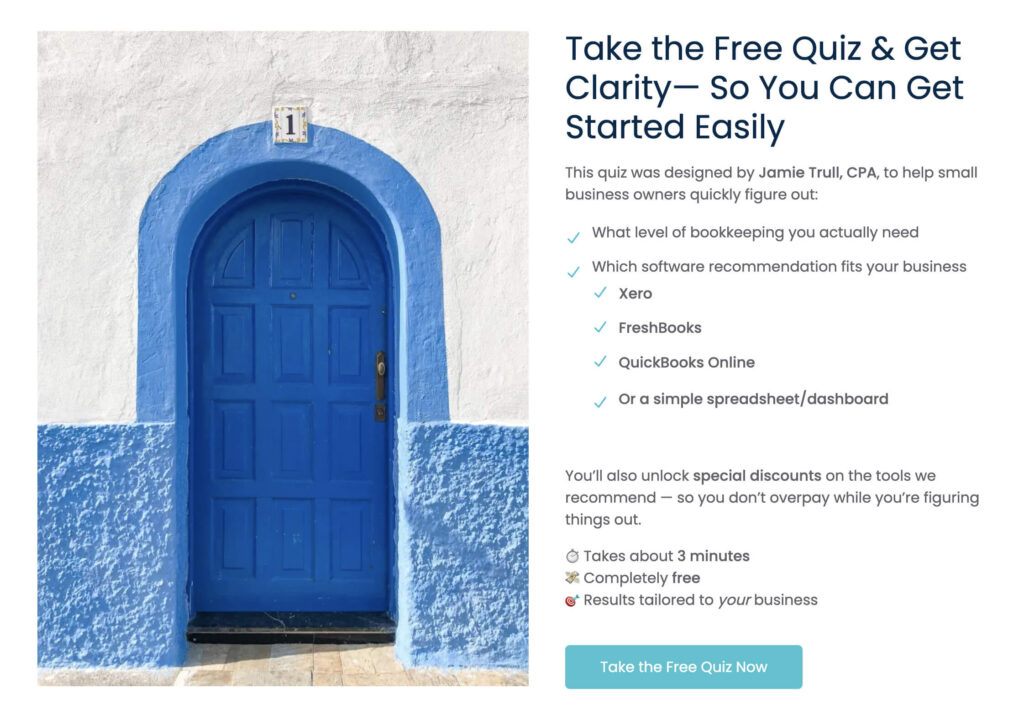
QuickBooks, Xero, or FreshBooks? Get Your Custom Bookkeeping Recommendation:
Step-by-Step: Build Your Banking + Bookkeeping System in a Weekend
1: Open/organize banking (Relay)
- Create sub-accounts: Operating, Taxes, Payroll, Owner Pay, Savings/Reserves.
- Set automation rules (e.g., after each deposit: 15% → Taxes, 35% → Payroll, 10% → Owner Pay).
- Issue employee cards with spend limits if needed.
2: Stand up accounting (FreshBooks)
- Choose Plus plan or higher for double-entry.
- Build a chart of accounts that mirrors how you run the business (separate income lines for services, programs, digital products; separate cost buckets).
- Connect Relay bank feeds and any credit cards.
3: Invoicing & payments
- Decide where invoicing lives (recommend: FreshBooks).
- Turn on online payments so invoices get paid faster.
- Use estimates → invoices and set payment schedules if applicable.
4: Categorization rules & receipt capture
- Create bank rules for recurring vendors (Zoom → Software, Gusto/OnPay → Payroll Fees, Adobe → Software).
- Use FreshBooks’ receipt capture (or your favorite tool) to attach documentation.
5: Vendor compliance (1099s)
- Collect W-9s before first payment (make it your policy).
- Tag 1099-eligible vendors in FreshBooks.
- Monitor vendor totals through the year (cash vs. third-party processor nuance).
6: Payroll & owner pay
- If you’re an S-Corp owner, pay a reasonable salary via payroll and take distributions from Owner Pay.
- Map payroll journal entries cleanly to wage expense, taxes, and liabilities.
7: Create your Monthly Close ritual (see checklist below)
- Schedule 60–90 minutes every month.
- Reconcile, review, adjust, and export a tax-ready package to a folder.
The Monthly Close Checklist (Copy/Paste)
Week 1–2 (rolling):
- Categorize all transactions (use rules where possible)
- Attach receipts for anything $75+ (and all travel/meal receipts)
- Send/review open invoices (AR)
- Enter/review unpaid bills (AP) if you use them
Week 3–4:
- Reconcile every bank & credit card account
- Review P&L and Balance Sheet for oddities (negative balances, duplicate income, uncategorized)
- Record owner draws/contributions properly
- Update sales tax and any loan principal/interest splits
- Run project/class profitability if applicable
- Export P&L, Balance Sheet, Cash Flow to your “Month-End” folder
- Calculate/transfer estimated taxes to the Taxes bucket
- Document questions for your bookkeeper/CPA
The Quarterly Checklist
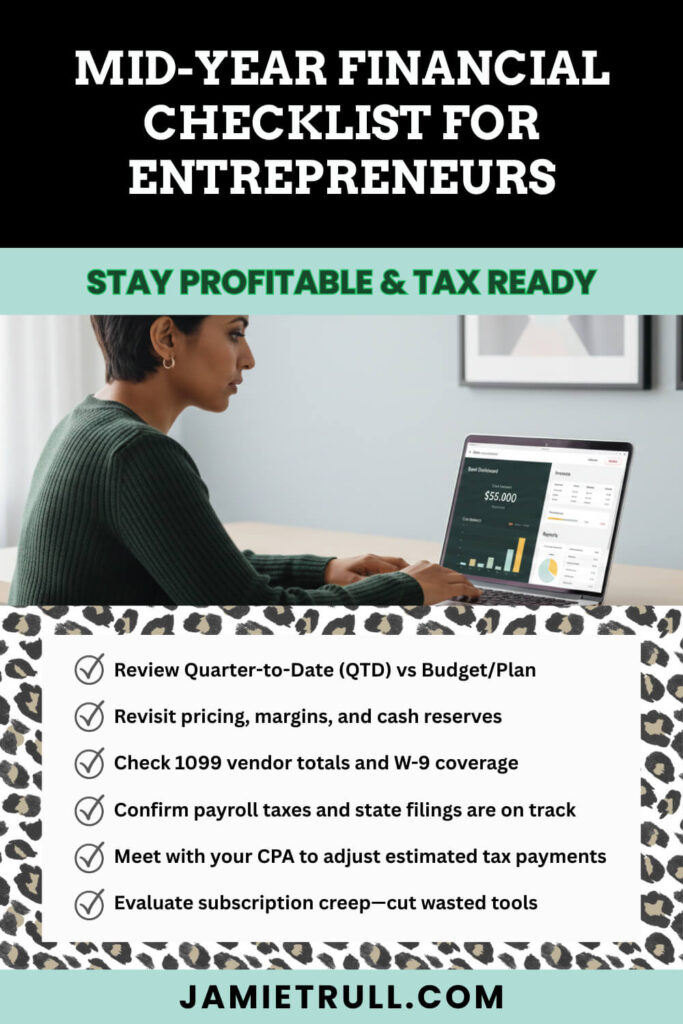
- Review Quarter-to-Date (QTD) vs Budget/Plan
- Revisit pricing, margins, and cash reserves
- Check 1099 vendor totals and W-9 coverage
- Confirm payroll taxes and state filings are on track
- Meet with your CPA to adjust estimated tax payments
- Evaluate subscription creep—cut wasted tools
The Annual Checklist
- Clean up AR/AP (write off uncollectibles; clear paid bills)
- Record depreciation and other CPA adjustments
- Confirm inventory counts (if applicable)
- Prepare 1099-NEC filings (by Jan 31)
- Lock the prior year in FreshBooks after CPA review
- Archive your tax-ready package (all statements + final reports)
Common Mistakes (and How to Fix Them)
Mistake #1: Treating owner draws like expenses
- Fix: Post draws to Owner’s Equity. Not deductible.
#2: Counting loan proceeds as income
- Fix: Record to Loans Payable on the Balance Sheet. Split interest vs. principal on payments.
#3: Skipping reconciliations
- Fix: Reconcile monthly. It’s your only real accuracy check.
#4: Paying contractors before collecting W-9s
- Fix: Make W-9s part of your vendor onboarding. No W-9, no pay.
#5: Using one “Miscellaneous” category for everything
- Fix: Build a thoughtful chart of accounts and use it consistently. Your future self (and CPA) will cheer.
#6: Relying on bank balance for tax planning
- Fix: Use P&L for tax estimates and keep Taxes cash in a separate Relay bucket.
The Reports to Review Every Month
- Profit & Loss: Trends in revenue, gross margin, and key operating expenses
- Balance Sheet: Cash, AR, AP, credit card/loan balances, owner equity
- Cash Flow (Indirect): How profit translated (or didn’t!) to cash
- AR Aging: Who owes you (and for how long)
- Project/Class P&L: Which offers/clients are truly profitable
- Budget vs Actual: Catch drift early and adjust
Who Needs What? (Choose-Your-Own-Adventure Setups)
Solo Business Owners / Service Based Businesses
- Relay with Operating/Taxes/Owner Pay buckets
- FreshBooks Plus
- Monthly close in 60 minutes or less
Accounting Features For An Agency with Contractors
- Relay adds Contractor Pay bucket + team cards
- FreshBooks for project/class tracking, 1099 tagging
- Standard operating procedure for W-9s and 1099s
Tools For S-Corp Owner Working With Accounting Pros
- Payroll system for reasonable salary, Owner Pay for distributions
- FreshBooks to track equity and clean payroll journal entries
- Quarterly CPA touchpoints for tax strategy
Frequently Asked Questions
Do I still need accounting software if my bank has invoicing?
Yes. Banking tools don’t create proper double-entry books, reconciliations, Balance Sheet, or tax-ready financials.
Can I use a spreadsheet instead?
Maybe—very small, simple businesses with few transactions. However, the moment you have AR, liabilities, or need a Balance Sheet, use accounting software.
What plan do I need in FreshBooks?
At least Plus for double-entry accounting and reconciliations. That said, this is a non-negotiable for tax readiness.
How do I prevent year-end 1099 chaos?
Collect W-9s upfront, tag 1099 vendors, and monitor totals monthly. File by Jan 31.
Where should I keep my tax money?
In a separate Relay Taxes account. For example, you can automate transfers (e.g., 25–30% of income for self employed individuals; ask your CPA for your number).
Ready to Build Your System? Here’s Your Next Step
- Open Relay and create your buckets with automation
- Start FreshBooks (Plus or higher) and connect bank feeds.
- Block 90 minutes to implement the Monthly Close checklist above.
- Learn the foundations inside my book Hidden Profit.
Get these core pieces in place and your finances will go from messy and reactive to organized, tax-ready, and profitable.
Disclaimer & Sponsorship Disclosure
This content is for educational purposes only and is not financial, legal, or tax advice. Consult your own advisor for guidance specific to your situation. Relay is a financial technology company and is not a bank. Banking services provided by Thread Bank, Member FDIC. Some links in this post are affiliate/partner links. If you purchase through them, I may earn a commission at no additional cost to you. I only recommend tools I use, love, or trust. This post includes partner mentions and may be considered sponsored.
Transcript disclaimer: This transcript was generated from the video for your convenience, but it may contain typos or slight errors due to the transcription process. For the most accurate and complete information, we recommend watching the full YouTube video.
Accounting Software vs Bookkeeping Software: Why Your Business Bank Account Isn’t Enough
If you’re relying solely on your business bank account to keep track of your finances, we need to talk now. While banking platforms have come a really long way and have some amazing features, they aren’t a replacement for true bookkeeping software.
And they were never designed to be. So this video, we’re gonna talk about why that is and why it’s important to have both.
So, stick around because I’m gonna tell you exactly what banking platforms can typically do, what accounting softwares can typically do, and how to bridge that gap.
Hi everyone. I’m Jamie Troll, CPA and Financial Literacy Coach, and if you wanna stay more organized, informed, and profitable in your business finances, make sure to hit that subscribe button.
Okay. Let’s talk about banking first.
Now modern banking has come a long way, especially with the advent of FinTech companies, which can do a ton of different things on top of being associated with an FDIC insured bank.
And the cool thing about banking platforms these days is that they may have additional features beyond just your typical banking.
So I’m talking about things like invoicing, expense management, some things that typically used to be reserved just for accounting and bookkeeping software.
So as these features roll out, it makes sense to think, well, do I really need a bookkeeping software when my banking platform can do all of these things for me?
And the banking platform that I use is Relay, and it’s a really great example of this where it has tons of features that I’ve been utilizing within my business to do a lot of the work that I used to do solely in my bookkeeping software.
Cash Flow, Bill Payments, and Client Management Inside Banking Platforms
My favorite thing about Relay though, is the fact that I can actually take the money coming into my and separate it into multiple different buckets that are actual separate accounts.
But I can do it with the click of a button.
So if I want to have a separate account for tax savings, I can do that. If I want a separate account for reinvesting back into my business or for paying myself, I can do that.
I can set up tons of different accounts and I can even automate transfers to and from those accounts.
Now, if you’re interested in finding out more about Relay, you can definitely check out this video here and also check the link in the description to find my specific partner link for Relay.
And as always, there are typically gonna be special perks when you sign up using my partner link.
So do I adore banking platforms like Relay? Absolutely.
I really think there’s some amazing things that you can do in these platforms these days. And I do think it is critical that you do have a separate business bank. ’cause we definitely do not want to be commingling with our personal expenses.
But here’s the thing, banking is all about cash flow. That’s the point.
It’s cash coming in and cash going out, which is not the same as bookkeeping.
It may be the same 80% of the time, but it’s not the same a hundred percent of the time.
And that’s where a little thing I like to call accounting funny business comes in the cash that came in minus the cash that went out should be your change in cash.
Key Features of Bookkeeping Software and Double-Entry Accounting for Growing Businesses
And you might think that that’s the same as your profit on your p and l, but you might be surprised that because of the fact that accounting rules treat things differently.
It means that oftentimes there is a mismatch between cash in the bank and profit on paper. And remember that profit is what we are using to report for tax purposes, and that’s where bookkeeping software really comes in.
Because it can do a few things that typical banking platforms and business banks do not do so.
When I’m talking about the things that bookkeeping software can do, that banking can’t, I’m typically talking about things related to double entry bookkeeping.
What double entry bookkeeping really is, is the only true acceptable method for bookkeeping. Sometimes I’ll hear people refer to something as single entry bookkeeping, and that’s not really bookkeeping.
What that really is is a laundry list of expenses, right?
It’s just listing out your income and expenses, which is not double entry at all.
Double entry bookkeeping is really about debits and credits, so every time cash, let’s say changes hands, right? If there’s a cash transaction coming in or coming out of your business, there is another side to that equation, right?
So cash coming in, maybe the cash coming in is revenue to your business, right?
Maybe the cash coming in is in advance on something or, uh, something that’s being prepaid. Maybe the cash coming in is a loan, right?
There are many different things that that cash could be, and so we don’t wanna just be looking at the cash side of things.
Best Accounting Software for Self-Employed and Businesses as Your Business Grows
We also need to remember that there are two sides to every transaction, and that’s what double entry bookkeeping is really meant for.
So that means that if you’re doing double entry bookkeeping, you can both pull a profit and loss, which has your income and your expenses, and you can also pull a balance sheet out of the system.
And this is especially critical if you are in a business that has assets.
If you are in a business that has any debt, if you are in a business that has multiple owners, a balance sheet is gonna be really important. And if you’re in a business that is maybe taxed as an S corporation or a C corporation, you absolutely need to have a balance sheet.
And that’s one of the key limitations of something that is a banking platform, right?
That they aren’t gonna have double entry bookkeeping behind the scenes, and therefore there’s no way for you to generate a balance sheet out of the system.
And you probably can’t even generate a accurate p and l from a banking system alone.
It’s your bookkeeping software that’s gonna give you those reports that are going to be taxed ready.
And you’re also gonna be able to do things like reconcile your accounts in a bookkeeping software that you typically aren’t doing in a banking software.
Now, like I said, there may be some overlap, right?
Your bookkeeping software may have invoicing capability, and your banking software may have invoicing capability, in which case you need to just look at the different offerings and see what’s right for you.
Free Bookkeeping Software, Free Trials, and Choosing the Best Bookkeeping Software
Maybe one of them charges fees and the other doesn’t, right? You can decide where it’s going to be easiest and most convenient to send your invoices.
However, you’re still going to want to have that banking platform that is going to hold your cash and that bookkeeping platform that is going to be in charge of making sure you have accurate reports come tax time.
Now, if you’ve been doing all of this outta a banking software, maybe using an Excel spreadsheet or something like that, and you’re just now looking at bookkeeping software for the first time, I recommend FreshBooks as a great starting point.
Especially if you are a service provider, a creative, maybe you’re a solopreneur, maybe you’re self-employed. It is really built specifically for people like you.
Now if you’re looking at an accounting software like FreshBooks, one of the things that I want you to take a look at is making sure that the plan you go with has double entry accounting.
Otherwise, it’s really more of just a glorified spreadsheet and your banking system can do something similar.
With FreshBooks, that means looking at at least the plus version, which is above the light version because you wanna make sure that you get those double entry reports and that you can do account reconciliations.
And let me tell you, your accountant will thank you for that.
If you wanna check out FreshBooks, at least for now and for a limited time, I do have a code down below that you can use to get 90% off for four entire months.
Best Accounting Software, Cash Flow vs Profit, and When You Might Not Need Bookkeeping Software
And you can check out even more accounting recommendations at jamietrull.com/accounting.
So overall, where there may be some overlap in features between bookkeeping software and banking software, they aren’t the same thing and they’re not intended to do the same thing.
And accounting software just has a lot more going on behind the scenes to make sure that it’s doing proper debits and credits when it comes to accounting for your transactions.
Now if you’re wondering if there’s ever a situation where you don’t need accounting software, the answer is actually yes.
I talk a little bit more about that in this video, and I talk about how you might be able to get by with just a spreadsheet, but it’s only in really specific circumstances, so that’s a great video to check out next.
My Book: Hidden Profit
And if you happen to be a little bit intrigued as to why cashflow and profit aren’t the same and wanna dig a little bit more into this and understand the mechanics, I talk about that actually in the first part of my book, Hidden Profit.
So the entire first part of four talks about the basics of finance and accounting in a way that actually makes sense and isn’t boring.
And don’t worry, we’re not gonna be talking about EBITDA or anything crazy, but hopefully it will help give you more of an understanding of how the p and l works.
What a balance sheet is and what it’s used for, how some basics of accounting mechanisms actually work.
So if you haven’t ordered your copy of Hidden Profit yet, please go do so.
I put a lot of time and effort into this book, and I really think it’ll be helpful for small business owners just like you who are trying to get a better handle on their finances and find hidden profit in their business.
Thanks for joining me, and I’ll see y’all next time.