
Do You Need to Be PCI Compliant as a Small Business?
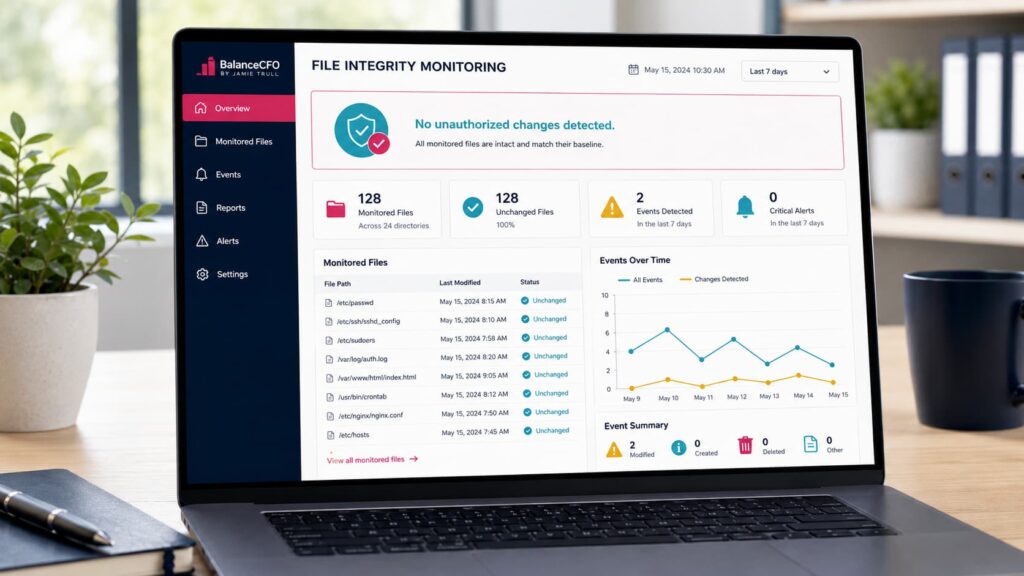
A Practical Guide for 2026
Are you collecting credit card payments through Stripe, Square, PayPal, or another processor? Then PCI compliance likely applies to you—even as a small business. And yes, ignoring those “please complete your PCI questionnaire” emails can cost you in monthly fees, surprise penalties, and bigger legal exposure if a breach ever happens.
I’m Jamie Trull, CPA & Profit Strategist. In this guide, I’ll demystify PCI compliance for small businesses, show you how to minimize your scope (and stress), and give you a simple action plan to stay compliant without turning into an IT department.
If you want more step-by-step tutorials on keeping your business informed, organized, and profitable, subscribe on YouTube and turn on notifications!
What PCI Compliance Actually Is (and Why It Applies to You)
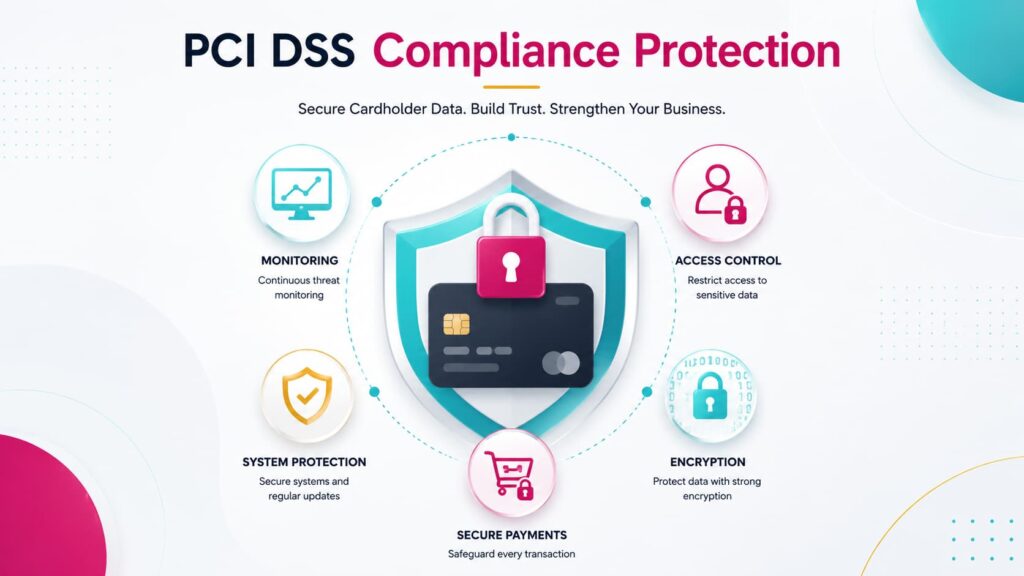
PCI DSS stands for Payment Card Industry Data Security Standard—a set of security rules created by the card brands (Visa, Mastercard, AmEx, Discover) to protect cardholder data. If you accept, transmit, or store card data in any way—online, in-person, over the phone—you’re expected to comply, regardless of your size or sales volume.
“But I use Stripe/Square/PayPal—don’t they handle this?”
Those processors are PCI-compliant for their systems. You’re still responsible for how you capture data, the tools you connect, the devices you use, your website setup, and completing the right annual questionnaire (SAQ). Think of it as shared responsibility.
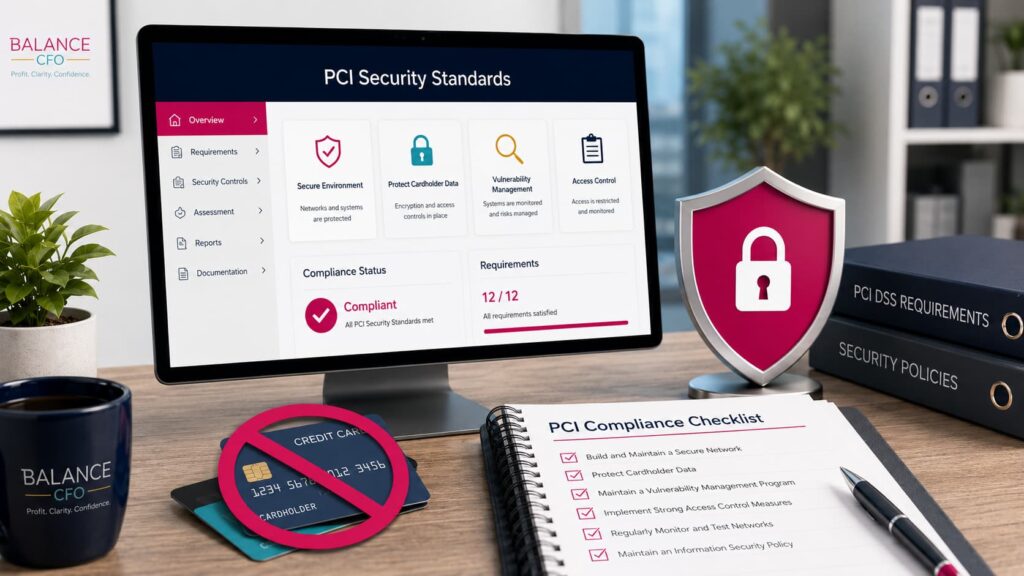
The Cost of Skipping PCI (Even for Tiny Shops)
- Monthly non-compliance fees from your processor until you complete the required questionnaire.
- If there’s a breach or suspected compromise: forensic investigation costs, card brand fines, reissue fees, legal fees, and potential civil liability.
- Account termination by your processor (yes, they can shut off your payment lifeline).
- Brand damage and lost customer trust.
Small businesses are often targeted because attackers assume your controls are lighter.
Good news: seven smart controls close most of the obvious doors.
1: Map How You Actually Take Payments (This Drives Your To-Dos)
Your payment flow determines your obligations and the SAQ (Self-Assessment Questionnaire) type you’ll complete annually. Here are common small-business scenarios:
- Hosted checkout or redirect (SAQ A)
- Example: Customers click “Pay” and are sent to Stripe Checkout / PayPal / Square on those providers’ domains.
- You never touch card data on your site.
- Lowest burden (no scans, minimal controls), but you still follow basic security hygiene.
- Example: Customers click “Pay” and are sent to Stripe Checkout / PayPal / Square on those providers’ domains.
- Embedded payment fields / iFrame on your site (SAQ A-EP)
- Your page hosts parts of checkout and pulls in the processor’s secure fields.
- Your website’s security matters because it can be the bridge attackers use.
- More controls than SAQ A; may require quarterly vulnerability scanning.
- Your page hosts parts of checkout and pulls in the processor’s secure fields.
- Virtual terminal / keyed card via processor portal (SAQ C-VT)
- You type cards into the processor’s secure screen (no storage on your systems).
- Keep devices locked down, patched, and don’t paste or store PAN anywhere.
- You type cards into the processor’s secure screen (no storage on your systems).
- In-person POS or mobile reader (SAQ P2PE or SAQ B-IP)
- Using a validated, encrypted device from your processor keeps scope low.
- Don’t photograph cards or write numbers “just to run later.”
- Using a validated, encrypted device from your processor keeps scope low.
- Anything that stores, processes, or transmits card data on your systems (SAQ D)
- Highest burden. If you’re building a custom gateway or self-hosting raw card data, you’re taking on unnecessary risk. Avoid.
- Highest burden. If you’re building a custom gateway or self-hosting raw card data, you’re taking on unnecessary risk. Avoid.
Your goal: choose the architecture that keeps you out of SAQ D. Hosted or tokenized methods are your friend.
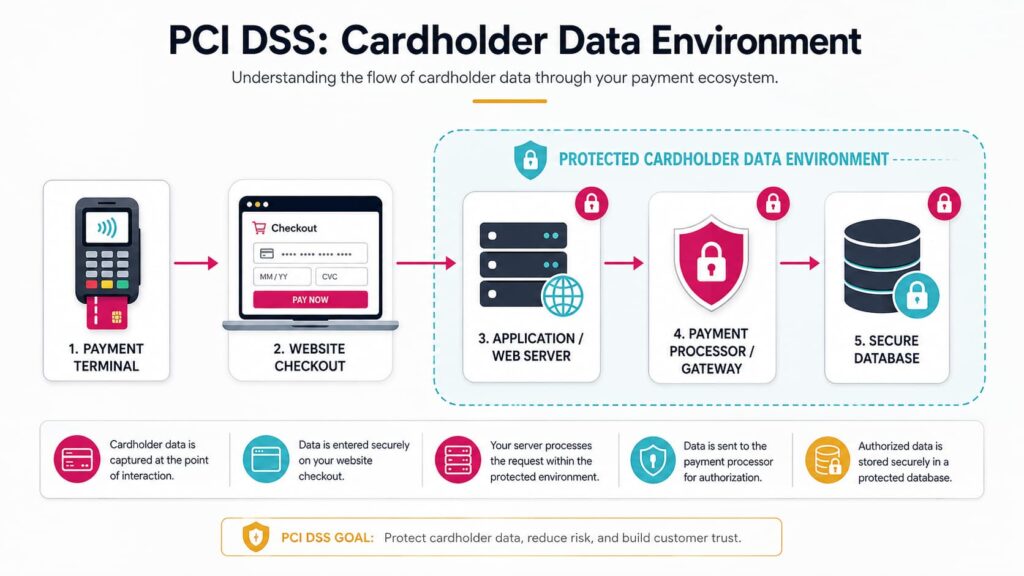
2: Don’t Do These Three Risky Things (Ever)
- Don’t email, text, DM, or chat a card number. Email is not a vault.
- Don’t keep “just in case” spreadsheets or screenshots with card data (PAN), expiration dates, or CVV.
- Don’t collect cards in your CRM/web form unless it’s a processor-provided, PCI-compliant field (hosted, tokenized, or iFramed). Integrations that look convenient can silently put you in the highest-risk category.
3: Complete Your Annual SAQ (It’s Faster Than You Think)
Most processors require a yearly SAQ. Expect 15–30 minutes the first time—faster after that. You’ll answer how you take payments, whether you store card data (don’t!), and confirm basic security practices.
Where to find it:
- Look for “PCI Compliance” or “Complete SAQ” in your Stripe/Square/PayPal/merchant portal.
- If you’re seeing non-compliance fees, it’s usually because the SAQ is overdue or you selected a flow that implies higher requirements (e.g., A-EP vs A).
Pro tip: Answer honestly. Checking a box for controls you don’t actually have is worse than a late SAQ.
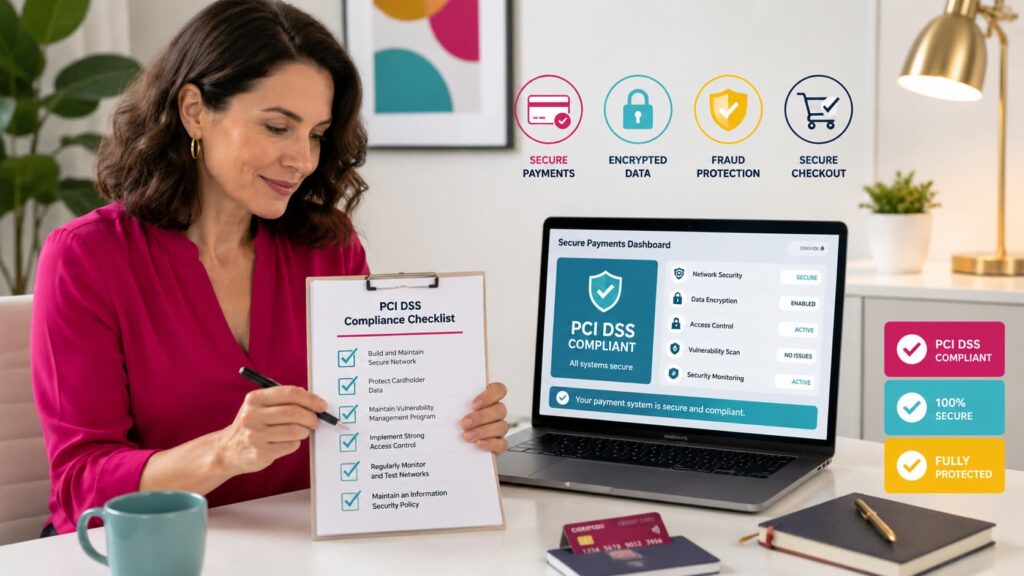
4: Small-Business PCI Checklist (10 Things That Really Matter)
- Use a PCI-validated processor (Stripe, Square, PayPal, etc.) and hosted/tokenized flows whenever possible.
- Restrict access to payment portals to only the staff who need it; use unique logins.
- Turn on MFA (multi-factor authentication) for all payment and admin tools.
- Keep devices patched (OS and browsers), enable auto-updates, and run reputable antivirus/anti-malware.
- Encrypt laptops/phones (FileVault/BitLocker), require strong passcodes, and enable remote-wipe.
- Secure Wi-Fi: WPA2/3, strong router password, avoid public Wi-Fi for admin activity (or use a trusted VPN).
- Accept cards only through your processor’s secure pages/terminals. No emails or manual storage—ever.
- If your setup requires it, run quarterly ASV scans (your processor will tell you; mainly applies to A-EP, C, B-IP scenarios).
- Write a one-page incident response plan: who to call, how to isolate affected systems, how to notify your processor/customers if needed.
- Train your team once a year: phishing red flags, safe payment handling, and who to alert if something feels off.
5: Website & Integration Gotchas (Where Small Shops Get Burned)
- Custom checkouts that pull in payment fields the wrong way can move you from SAQ A → A-EP or worse. Use your processor’s official Hosted Checkout, Elements/iFrame, or payment links.
- Plugins (ecommerce, invoicing, membership) should be from reputable developers, kept up-to-date, and configured to use tokenized card handling.
- If you copy/paste code from tutorials, you own the risk. Stick to official docs and vetted add-ons.
- If you changed your flow recently (new plugin or CRM), re-answer the SAQ to make sure you’re still in the right lane.
6: POS & Virtual Terminal Hygiene (In-Person or Phone Orders)
- Use encrypted, processor-provided readers—don’t key cards into random apps or spreadsheets.
- For virtual terminal entry, type directly into the secure screen; don’t paste card data from a note or email.
- Physically secure devices, and log out when not in use.
- Keep a clean desk: no sticky notes with card info, no printed forms with PAN/CVV.
7: The #1 Mistake I See (And How to Fix It)
Assuming your processor covers everything.
Stripe/Square/PayPal handle their side … but you control your website, plugins, devices, user access, and how you collect information before it hits the processor.
If you’re integrating payments with a site/CRM, slow down and confirm the integration is PCI-friendly (hosted, iFramed, or tokenized).
Then complete the correct SAQ and keep your endpoints locked down.
Cyber Liability Insurance: Your Financial Backstop
Even with best practices, incidents happen.
Ask your broker about Cyber Liability / Data Breach coverage that can include:
- Forensic investigation & legal counsel
- Regulatory fines/penalties (where insurable)
- Customer notifications & credit monitoring
- PR/reputation management
- Business interruption
If you already carry business insurance, ask whether cyber coverage is included or offered as a rider, and confirm it’s appropriate for payment data exposure (not just generic “privacy”).
Quick Wins to Reduce Your PCI Scope (and Fees)
- Switch to hosted checkout (Stripe Checkout, PayPal Checkout, Square Online Checkout, payment links).
- Remove custom card fields and use the processor’s Elements/iFrame if you need on-site collection.
- Turn on MFA everywhere you can (processor, ecommerce platform, admin email, password manager).
- Purge any old files or exports that might include sensitive data.
- Document your payment flow and SAQ type in your SOPs so you can breeze through renewal next year.
PCI FAQs (Small Business Edition)
Do I have to be PCI compliant if I only take a few payments a month?
Yes. PCI applies to any merchant who accepts card payments. Use a hosted flow to keep your burden minimal.
My processor keeps charging me a non-compliance fee—why?
Usually you haven’t completed the SAQ or selected an architecture that implies additional controls (like scans). Log in to your merchant portal and look for PCI/Compliance.
Can I store card numbers “securely” for convenience?
No. Don’t store card data. Use your processor’s card-on-file/token features if you need recurring billing.
What’s the easiest compliant way to invoice?
Send your customer a secure payment link or processor-hosted invoice. They enter card details on the processor’s page, not yours.
Do I need quarterly scans?
Only for certain SAQ types (commonly A-EP, C, B-IP). Your processor/SAQ will make this clear. Hosted checkout (SAQ A) usually does not require scans.
Your 30-Minute Action Plan (Copy/Paste This Into Your CEO Day)
- Identify your payment flows (redirect/hosted, embedded, POS, VT).
- Confirm your ecommerce/checkout uses hosted/tokenized methods. Change if needed.
- Complete your SAQ inside your processor’s portal.
- Turn on MFA in your processor, website admin, and password manager.
- Purge any files/emails/notes with card data; update your team SOPs: “All payments go through the processor. Never by email/chat.”
- Patch & protect (OS/browser updates, antivirus, full-disk encryption).
- Call your broker about Cyber Liability coverage (or confirm what you already have).
- Schedule an annual reminder to renew your SAQ and review your setup.
Keep Strengthening Your Money Systems
- Want a banking setup that makes cash-flow decisions easy? Watch → The extra business bank account you need
- Wondering if you’ve outgrown spreadsheets? Watch → Do you need accounting software for your small business?
- Work with me / templates & trainings
Disclaimer: This content is for educational purposes only and isn’t a substitute for advice on your specific situation from your tax or legal advisor
If you’ve got questions about your setup (or want a simple PCI-friendly SOP you can hand to your team), drop a comment and I’ll help you troubleshoot.
This transcript was generated from the video for your convenience, but it may contain typos or slight errors due to the transcription process. For the most accurate and complete information, we recommend watching the full YouTube video.
Disclaimer: This content is for educational purposes only and isn’t a substitute for advice on your specific situation from your tax or legal advisor
If you’ve got questions about your setup (or want a simple PCI-friendly SOP you can hand to your team), drop a comment and I’ll help you troubleshoot.
Transcript:
What Is PCI Compliance?
Are you collecting credit card payments in your small business? Well, if so, then I want you to listen up because skipping this requirement could cost you thousands in fines and potentially open you up to legal liability even if you're using a payment processor like Stripe or Square. Hey y'all, Jamie Trell here.
Your favorite CPA and financial. Educator and on this channel, we dive into everything that keeps you informed, organized, and profitable in your business finances. So please make sure to like and subscribe. Today we're gonna be talking about something that is not talked about enough, which is PCI Compliance.
So if you've heard of this. And you're wondering what the heck it means. Or maybe you've gotten some emails from your payment processors asking you to fill out a form. Then this is for you. We're gonna talk all about whether this is something that you actually need to worry about, even if you are just a.
Small business. Plus, at the end of this video, I'm gonna tell you about the number one mistake that I see business owners make when it comes to PCI compliance. So make sure you stick around for that. So first, let's take a step back. What the heck is PCI compliance? Now? I've been getting this question more frequently lately, probably because.
It seems like more payment processors are sending information out about this and people aren't sure what they're getting. I recently had a friend actually send me over an email she got from QuickBooks. She uses QuickBooks to process payments, and she was really confused by what the heck it was talking about related to this issue of PCI compliance.
PCI Compliant Data Security and Credit Card Data
So if you're confused, don't worry. It's not just you. So PCI actually stands for payment card industry Data security standard. And basically it's just the set of rules that keeps credit card data safe. And whether you're a big box retailer or you're an Etsy seller, this actually applies. To you. Now, you might be thinking, but I'm such a small business, how could this apply to me?
I must not have anything that I need to do for this. But unfortunately, the size of your business does not exempt you from these requirements, and if you accept store process or transmit credit card information. At all, even just once you are expected to meet these requirements. Now more than likely you're not processing these payments yourself, right?
You're using a payment processor, maybe Stripe or PayPal or Square. You're using a third party intermediary to process those payments. So what do you need to do? Aren't they handling this? For you, and it is true that those payment processors arecompliant on their end. So that's something really important.
If you're looking at various different payment processors, make sure that they have the highest level of PCI compliant. But you still have responsibilities as well. And depending on how you process credit card payments, you may actually have a questionnaire that you're required to fill out for your payment processor every year that asks you specific questions about how you are storing this credit card data and various different ways that you are keeping it safe.
PCI DSS Requirements and PCI Compliance Levels
And the thing is that if you don't fill out that form that you're required to. Or if you check the wrong box, that could mean fees that add up really quickly. So now that you know that PCI compliance is something you can't ignore, let's talk about what happens if you don't follow the rules. If you're not compliant, you could get hit with monthly fees from your payment processor.
And even worse than that, if there ever is a data breach, even if it wasn't technically your fault, you could face heavy fines, cleanup costs, and even legal fees. And the thing to know is that this isn't just a big business thing. Oftentimes, smaller businesses are targeted on purpose because it's assumed that they have more lax controls.
Hackers are smart and they know that oftentimes you may not know these requirements and may not have the proper safeguards in place, so you are putting a target on your back if that's the case. So most importantly, what can you actually do to stay compliant? What exactly does that mean? Well, let's break it down in real world terms because it doesn't have to be that complicated.
First and foremost, you do wanna make sure you're using a trusted payment processor that is already PCI compliant on their side. And an important thing to note here is that oftentimes in real life business owners are using maybe those third party platforms, but they're integrating them with. Other things.
Maintain PCI Compliance and Maintain Secure Systems
So maybe you're integrating a Stripe checkout onto another checkout page or onto your website, and that could add additional risk, and any of those kind of integrations aren't going to be covered by Stripe or Square or whoever you're using, and their PCI compliance. And that's not to say you shouldn't integrate stripe or square into other things if that works best for your business, but you just need to be aware that that does increase the level of risk and you may have additional things you need to do to make sure that you are being PCI compliant.
So whatever you do, just make sure you're double checking that you understand how any tools you're integrating are actually interacting with that credit card data. And the next thing that you should make sure you do not do is write down or store secure credit card.
This data that should be nowhere on your desktop.
That should not even be in a folder anywhere. That should be held completely within the payment processor that you are using. So be careful of downloading and keeping that information because that adds additional risk if somebody hacks into your personal internet and uh, gets into your system that way and gets access that also.
Would be your responsibility and your legal liability if that were the case. So that means no spreadsheets laying around anywhere that have sensitive data in them about your customer's credit card information. Now the next thing to do is to make sure to complete your Sac, SAQ, and that is a form that you may be required.
Monitor Access and PCI Security Standards
To fill out by your payment processor. So you'll usually get an email that'll tell you that this is required. Uh, or you can actually go into your payment processor and search around for PCI compliance and it can tell you what you need to do, but you wanna make sure that you are actively filling out that form if it is required for your business.
It's usually gonna be something that shows up right on your dashboard when you need to do it. It's typically an annual thing, and it takes probably about 15 to 20 minutes. Maybe a little more the first time you do it, and another thing to do to help you be more PCI compliant is to make sure that you are updating that antivirus software on your computer.
Again, there are many ways for hackers to be able to get in, and if you aren't updating your antivirus software, then that could additionally add to legal liability if anything were to happen. Now this is advice I need to take for myself because I'm pretty sure I've had my antivirus software telling me that I need to re-up it every time I log in.
So I'm actually gonna go do that right now and take my own advice. So what's the one big mistake that I see? Well, ultimately it's thinking that you're covered because you're using a well-known payment processor. Again, that does help to reduce your risk, but it doesn't mean that there aren't things you need to do on your side in order to keep that data safe as well.
Store Credit Card Data and Restrict Physical Access
And that's especially true if you are collecting your own data in your own CRM or on your own website. So is there anything that we can do to help reduce our risk? In addition to what I've already talked about and the answer is yes, there is such a thing as insurance that can help you in these matters.
Now it's not called PCI insurance, typically it's likely going to be called something like cyber liability insurance or data breach insurance. And the great thing about that is that it can help cover all kinds of things. So not only will it cover things like fines and penalties if you're found to be non-compliant, it can also cover legal fees.
It can help you notify affected customers. You've probably gotten those notifications in the past. It can help offer credit monitoring or even PR and reputation repair if this does happen to you. So I do think that this is something that can be very useful. Even for small businesses to have, if you are regularly processing credit card information.
Now, if you already have business insurance, the best thing to do is to call and see if it's already included, and if it isn't, it might be a rider or something that you can add to your existing business insurance. And you're gonna wanna make sure that it covers PCI compliance, not just general cybersecurity.
Now, I hope this helps navigate what exactly PCI compliance is and what you need to do, especially if you're getting emails and you have no idea what they mean. If you've got more questions, make sure to drop a comment below and definitely make sure to like and subscribe so you get more videos just like this.
I'll see you next time.